
Imagine giving your nonprofit the same powerful tools that major corporations use, but without the hefty price tag. That's the simple idea behind Google Workspace for Nonprofits. It’s a program that offers eligible organizations free and deeply discounted access to professional email, cloud storage, and a full suite of productivity apps. Think of it as a complete digital toolkit built to help you run your operations smoothly and extend the reach of your mission.
Your Digital Toolkit for Greater Impact
For any nonprofit, every dollar saved on overhead is another dollar that can go directly into your programs. That's why you should view Google Workspace as more than just free software—it's a strategic asset. It levels the playing field, empowering organizations of any size to operate with the kind of efficiency and security that was once out of reach.
By offering professional-grade tools at little to no cost, Google removes a major financial hurdle to adopting modern technology. This access completely changes how teams can work together. Instead of juggling a patchwork of different, often insecure systems, your staff and volunteers can collaborate seamlessly from anywhere in a single, unified environment.
Unifying Your Team and Operations
Google's support for the nonprofit world is significant. In 2023 alone, the Google for Nonprofits program provided over $2 billion in combined value through Google Ad Grants and Google Workspace access. This support helped more than 300,000 nonprofits around the world, giving them powerful technology to boost their operational capacity.
But the real benefits go far beyond just saving money. Adopting this platform builds a solid foundation for operational excellence, letting you and your team focus on what truly matters: your cause.
Here’s what that looks like in practice:
- Professionalism and Trust: A custom email address (@yournonprofit.org) instantly builds credibility with donors, partners, and the people you serve. It's a small detail that shows your organization is established and secure.
- Centralized Collaboration: With Shared Drives, all of your critical files—from grant proposals to event photos—are stored securely in one place. You control who has access, ensuring the right people can find what they need, when they need it.
- Enhanced Productivity: Tools like Google Docs, Sheets, and Slides allow your team to edit documents at the same time. This puts an end to the frustrating back-and-forth of different file versions and speeds up everything from planning a campaign to preparing board reports.
- Simplified Coordination: Shared Calendars make scheduling volunteer shifts, board meetings, and community events incredibly simple, cutting down on administrative headaches.
By bringing professional email, shared calendars, and secure cloud storage under one roof, Google Workspace for Nonprofits creates a single source of truth. It becomes the digital headquarters that unites your team, no matter where they are.
Ultimately, this digital toolkit is designed to give you back your team’s most valuable resource: their time.
How to Get Approved: A Walkthrough of the Application Process
Getting your nonprofit set up with Google's free tools can seem intimidating, but it's actually a pretty clear-cut process. Think of it as a simple verification step that unlocks a massive boost for your organization. Google just needs to confirm that you're a legitimate charitable organization, and then you're on your way.
The whole thing boils down to three main phases: checking if you qualify, getting verified by one of Google's partners, and then flipping the switch to activate Google Workspace. Let's break it down.
First Things First: Are You Eligible?
Before you even start an application, you need to make sure your organization fits Google's criteria. The most important requirement, the one there’s no getting around, is having a recognized charitable status in your country.
For nonprofits in the United States, this almost always means being a registered 501(c)(3). If you're based elsewhere, you’ll need to be registered as a charitable organization with your country's equivalent authority.
It's also good to know who doesn't qualify. Google has a few specific exclusions:
- Governmental bodies and their agencies aren't eligible.
- Hospitals and healthcare organizations are typically excluded, though their separate charitable foundations might qualify.
- Schools and universities have their own program, Google for Education, so they can't apply for this one.
Your Step-by-Step Guide to Applying
Once you've confirmed you're eligible, the application is straightforward. The key to a speedy approval is accuracy. Make absolutely certain that the legal name, address, and contact details you enter match exactly what's on your official charity registration documents. Even a small typo can cause delays.
-
Start Your Request: Head over to the Google for Nonprofits website to kick things off. This first part is fast—you’ll just need to provide some basic information to create your account.
-
Wait for Verification: This is where you play the waiting game. Google works with partners like Percent (which acquired TechSoup's validation services) to handle the verification. They'll cross-reference your details with the official government registry in your country. This can take anywhere from 2 to 14 business days, so don't panic if you don't hear back immediately. You'll get an email as soon as it's done.
-
Activate Google Workspace: Once you get that confirmation email, you're in! Log back into your Google for Nonprofits account. From there, you can activate the specific products you want, starting with the big one: Google Workspace for Nonprofits. This is the final step to getting your hands on all those powerful tools.
The number one reason we see applications get stuck is a mismatch in information. Before you hit submit, do a final check to ensure every detail on your application perfectly mirrors your official charity records.
Taking a few minutes to get everything right from the start will save you headaches later and get your team equipped with a game-changing digital toolkit much faster.
Alright, let's get this done. Once you've successfully registered for Google for Nonprofits, you'll face your first big decision: picking the right Google Workspace plan.
This isn't just a technical choice—it's a strategic one. The plan you select needs to match your team's size, how you work day-to-day, and your long-term security needs. Think of it like setting up a new office. A small team might just need a few desks and a good coffee machine, but a larger organization will need a full floor with conference rooms, secure file storage, and a proper reception area.
Google makes this easy by offering a fantastic free plan and then steeply discounted upgrades for when you need more power. Let's walk through each option so you can feel confident you're making the right call for your mission.
The Foundation: Google Workspace for Nonprofits (Free)
For most small to mid-sized nonprofits, the free Google Workspace for Nonprofits plan is an absolute game-changer. It’s the perfect starting point, giving you all the essential tools to run your organization professionally without costing a dime. Don't let the "free" tag fool you; this is a seriously powerful suite of tools.
Here’s what you get right out of the box:
- Professional Email: Ditch the @gmail.com addresses and set up custom emails for everyone on your team (@yournonprofit.org) using Gmail.
- Cloud Storage: Every user gets 30 GB of cloud storage that's pooled across the team for use in Google Drive and Gmail.
- Collaboration Suite: Get full, real-time access to Google Docs, Sheets, Slides, and Forms. No more emailing file versions back and forth.
- Communication Tools: Host video meetings with up to 100 participants in Google Meet and use Google Chat for quick team messages.
- Shared Calendars: Coordinating volunteer schedules, board meetings, and community events becomes incredibly simple.
This plan is the go-to choice if your main goal is to establish secure, reliable communication and collaboration. If you aren't handling huge amounts of sensitive data or needing advanced compliance tools, this is where you should start.
Upgrading for Growth: Business Standard
As your nonprofit's impact grows, so will its operational complexity. That’s where the Google Workspace Business Standard plan comes in. It's the logical next step for teams that are starting to feel the limits of the free tier. It’s offered at a deep discount for nonprofits, typically around $3.50 per user/month.
It might be time to upgrade to Business Standard if you find your team:
- Running Out of Space: The storage jumps from 30 GB to a massive 2 TB of pooled cloud storage per user. This is a must-have for organizations creating videos, managing large photo libraries, or working with extensive donor databases.
- Hosting Bigger Meetings: Your Google Meet capacity increases to 150 participants. You also unlock key features like meeting recordings (perfect for sharing with absent board members), breakout rooms for workshops, and noise cancellation.
- Worried About Lost Files: This plan introduces Shared Drives. This is a critical feature. Instead of files being owned by the person who created them, they belong to the team. If a staff member or volunteer leaves, their work doesn't leave with them.
This tier hits the sweet spot between affordability and advanced features, making it the most popular upgrade for growing nonprofits.
Advanced Security and Compliance: Business Plus
Does your organization handle sensitive information? I'm talking about confidential beneficiary data, donor financial records, or medical information. If so, security and compliance aren't just best practices—they're non-negotiable. The Google Workspace Business Plus plan is built for this exact scenario and is also heavily discounted.
Moving to this plan is about more than just getting more features; it’s a proactive investment in protecting your organization's reputation and the sensitive data you've been entrusted with.
Business Plus gives you everything in the Standard plan, plus these critical security layers:
- Enhanced Security: You get much tighter control over how data is accessed, especially on mobile devices. It also unlocks more sophisticated security tools in the Admin console.
- Google Vault: This is the big one for compliance. Vault lets you retain, search, and export your organization's data for eDiscovery and legal holds. If you need to comply with data retention policies, this is essential.
- Massive Capacity: Storage is boosted to an incredible 5 TB of pooled cloud storage per user, and your Google Meet meetings can now host up to 500 participants.
This is the right choice for medium-to-large nonprofits or any organization that has to meet strict regulatory standards like HIPAA.
Google Workspace for Nonprofits Plan Comparison
To help you visualize the differences, here's a side-by-side look at what each plan offers. Think about your team's current needs but also where you see your organization in the next year or two.
| Feature | Workspace for Nonprofits (Free) | Business Standard (Discounted) | Business Plus (Discounted) |
|---|---|---|---|
| Price | $0 | ~$3.50 per user/month | ~$6 per user/month |
| Email & Domain | Custom email (@yournonprofit.org) | Custom email (@yournonprofit.org) | Custom email (@yournonprofit.org) |
| Cloud Storage | 30 GB pooled per user | 2 TB pooled per user | 5 TB pooled per user |
| Google Meet | 100 participants | 150 participants | 500 participants |
| Meet Recordings | No | Yes, saved to Drive | Yes, saved to Drive |
| Shared Drives | No | Yes | Yes |
| Security Controls | Standard | Standard | Advanced Endpoint Management |
| Google Vault | No | No | Yes (eDiscovery & Archiving) |
Choosing the right plan sets the foundation for your digital operations. The free plan is an amazing resource, but don't hesitate to invest a few dollars per month in an upgrade if it means better security, more storage, and features that save your team valuable time.
How Nonprofits Drive Real-World Change
It’s one thing to talk about features and plans, but the real story is in how these tools actually help nonprofits make a difference. Moving to Google Workspace isn't just an IT upgrade; it’s about reclaiming time, energy, and resources to pour back into your mission. Think of it as a force multiplier, turning small, everyday efforts into significant, on-the-ground impact.
The shift away from scattered spreadsheets, siloed documents, and overflowing inboxes creates an immediate, tangible lift. It means spending less time hunting down the final version of a grant proposal and more time writing the next one. It means fewer scheduling snafus for a community event and more focus on making that event a roaring success.
These small wins build on each other, creating a powerful momentum that directly fuels your work. Let’s look at a few real-world scenarios to see how this plays out.
Centralizing a Major Fundraising Campaign
Picture a fundraising team gearing up for their biggest campaign of the year. In the past, it was pure chaos. Donor lists were buried in different spreadsheets, email templates were saved on individual desktops, and keeping track of volunteer follow-ups was a manual nightmare. The risk of missing a key deadline or accidentally emailing the same major donor twice was always looming.
By switching to Google Workspace for Nonprofits, they completely change their game.
- A Single Source of Truth: The team sets up a Shared Drive just for the campaign. Every single asset—from donor letter templates in Google Docs to the master tracking spreadsheet in Google Sheets—lives right there. Suddenly, everyone is working from the same live documents, and version control issues simply disappear.
- Real-Time Collaboration: The fundraising coordinator builds a donor tracking dashboard in Google Sheets. As volunteers make calls, they update donor statuses and pledge amounts in real time. This gives the campaign manager an accurate, up-to-the-minute view of progress without having to call yet another status meeting.
- Streamlined Communication: Using a shared team email address managed through Gmail, the team coordinates all responses to donor questions. This ensures every inquiry gets a prompt, professional answer, which goes a long way in building trust and encouraging donations.
This central hub does more than just get them organized; it boosts morale and lets the team focus on what they do best—building relationships with donors instead of wrestling with admin work.
Streamlining Volunteer Coordination
Now, think about a volunteer coordinator trying to schedule dozens of people for a weekend-long community health clinic. The old way involved a dizzying number of phone calls, back-and-forth emails, and a complex spreadsheet that was obsolete the moment it was "finalized." Just keeping the schedule straight was a full-time job.
With Google Workspace, the entire process becomes clear and practically automated.
The coordinator creates a simple Google Form where volunteers can sign up for specific shifts and list their skills. This data instantly flows into a Google Sheet, giving them an organized roster at a glance.
From that sheet, they build out a master schedule in Google Calendar. By inviting volunteers to their specific shift times, each person gets an automatic notification and a reminder before their shift. This simple workflow saves the coordinator hours of work, cuts down on no-shows, and ensures the clinic always has the staff it needs.
This decision tree helps visualize the key choice when selecting a Google Workspace plan for your nonprofit.
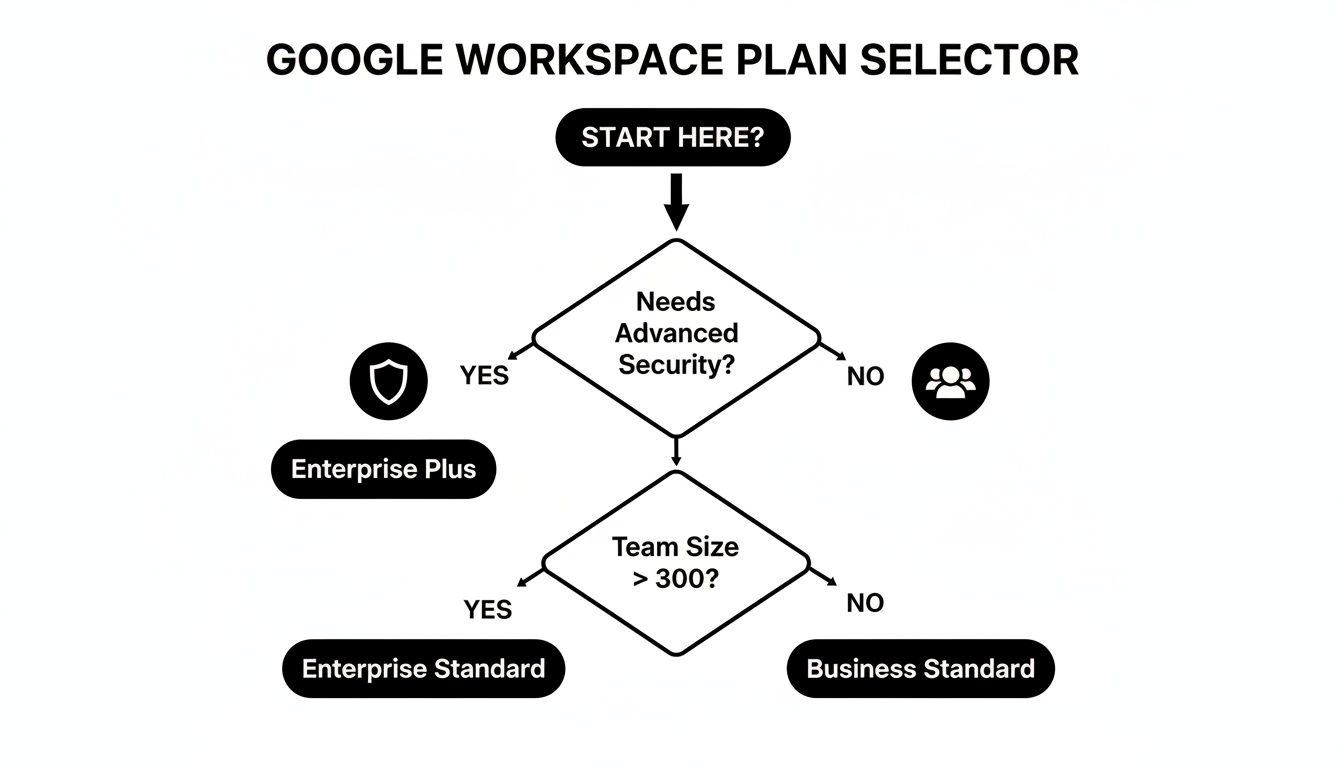
The primary deciding factor often comes down to whether your organization handles sensitive data requiring the advanced security and compliance features found in the paid plans.
Doubling Impact While Cutting Costs
Perhaps the most compelling evidence comes from organizations that can directly link these tools to their mission's bottom line. Erika's Lighthouse, a nonprofit dedicated to adolescent mental health, offers a fantastic example. By fully embracing these tools, they managed a 2x increase in the number of students they supported, reaching 715,000 students across thousands of schools.
At the same time, their operational efficiency skyrocketed. They slashed the cost per student served from $5 to just $2—a massive 60% reduction. This is a powerful testament to how smart technology helps nonprofits do so much more with the resources they already have. You can learn more about their story on the Google Workspace website.
Unifying Your Operations with Key Integrations
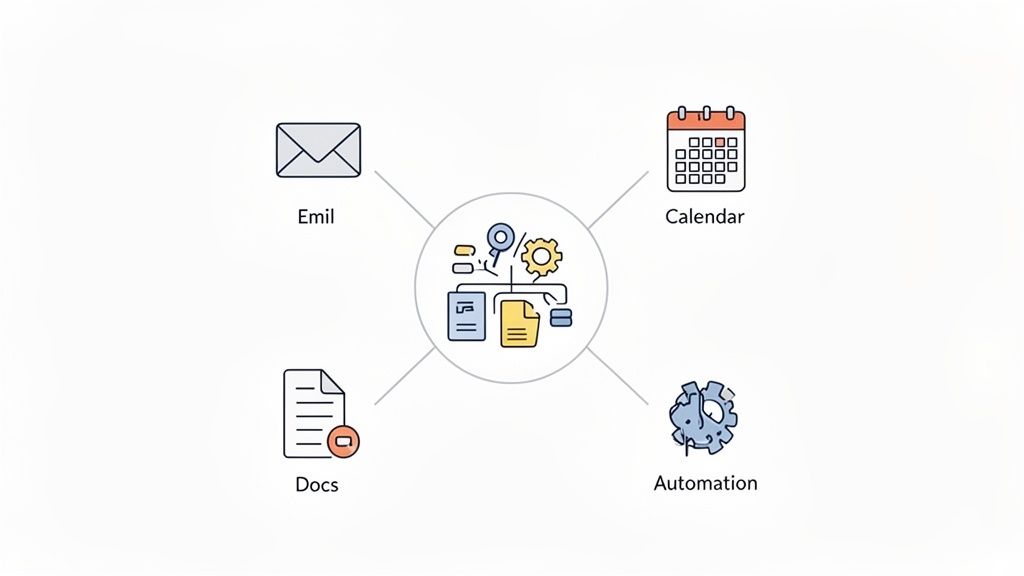
On its own, Google Workspace gives you the essential tools for communication and collaboration. But its real power is unleashed when it stops being just a collection of apps and becomes the central hub for everything your nonprofit does. The key to making this happen is strategic integration, which can transform your workflow from fragmented to focused.
Instead of your team constantly juggling a dozen different tabs for project management, donor relations, and internal tasks, picture a single, unified system. That’s what integration delivers. It connects the dots between your daily tools, creating a seamless operational flow that cuts down on administrative friction and frees up your team to focus on what truly matters.
This approach turns a collection of handy apps into a single, cohesive operating system for your mission.
Creating a Central Command Center
Think of Google Workspace as the engine. Integrations are the transmission and steering that direct its power where it needs to go. While Gmail, Calendar, and Drive are fantastic for core tasks, they weren’t built to manage complex projects or track grant lifecycles by themselves. This is where platforms designed to work with Google Workspace become invaluable.
A tool like OpsHub, for example, can serve as that command center. It pulls together project management, tasks, and critical data right inside your Google environment. Your team can manage their entire day without ever leaving the familiar comfort of their inbox or calendar.
Imagine a grant writer managing application deadlines, tracking progress on required documents, and setting up automated follow-up reminders—all from one dashboard connected to their Gmail and Calendar. This completely removes the mental drag of switching between apps and makes it far less likely for something to fall through the cracks.
How Integration Drives Efficiency
Connecting your key operational tools with Google Workspace for Nonprofits creates a powerful ripple effect of efficiency. This isn't just about convenience; it's about building smarter, calmer workflows that actually support your mission.
Here’s how this unified approach can make a difference across your nonprofit:
- Fundraising: You can connect your donor management system to automatically log email communications from Gmail. This ensures every interaction is tracked without any manual data entry, giving you a complete, up-to-date history of donor engagement.
- Volunteer Management: Integrate your scheduling tools with Google Calendar. When a volunteer signs up for a shift, their calendar is updated automatically, and they get reminders, which helps reduce no-shows and administrative headaches.
- Program Delivery: Use project management integrations to link tasks directly to files in Google Drive. When a team member gets a task to create a report, all the relevant research and templates are attached right from the start.
The goal of integration is to build a calm, organized digital headquarters. When your tools talk to each other, your team spends less time on manual, repetitive tasks and more time driving your mission forward.
This interconnected system ensures data flows smoothly between applications, creating a single source of truth for your entire organization.
Unlocking Deeper Insights
Beyond just automating your workflows, a fully integrated system gives you much clearer visibility into your operations. When your project data, communications, and files are all connected, you can generate reports and dashboards that offer a complete, holistic view of your organization's performance.
Think about being able to see, at a glance, how much time your team is spending on a specific grant application or which fundraising campaigns are generating the most email activity. This level of insight is nearly impossible to achieve when your data is scattered across disconnected platforms. By unifying your tools, you empower your leadership to make more informed, data-driven decisions that can significantly amplify your impact.
Bringing AI into Your Nonprofit to Magnify Your Mission
When we talk about artificial intelligence, it's easy to picture something complex and futuristic. For most nonprofits, the idea of weaving AI into daily work can feel like a huge, intimidating leap. But what if we stopped thinking of it as a complicated new technology and started seeing it for what it is: a really smart assistant that’s ready to help?
That’s precisely the role Gemini for Google Workspace is built to play. You don’t need to be a tech wizard to use it. Instead, Gemini acts as a helpful partner right inside the tools your team already relies on every day. Think of it as an assistant that can whip up the first draft of a grant proposal in Google Docs, summarize a novel-length email thread in Gmail, or brainstorm a whole month's worth of social media ideas in Google Sheets.
This makes AI practical and approachable. It's not about replacing people; it's about giving your team superpowers to get through the tedious stuff faster. By taking on those repetitive tasks, it frees up your staff and volunteers to pour their energy into the work that truly matters—the human connections that drive your mission.
Getting Past the "Where Do We Even Start?" Problem
Everyone seems to agree that AI has massive potential, but putting it into practice is another story. A recent survey of over 4,600 nonprofits found a fascinating gap: 75% believe generative AI could be a game-changer for their marketing, and 81% see its power to better serve their communities. Yet, almost half aren't using it at all.
The reason is surprisingly simple. Two-thirds of respondents said their biggest hurdle was just a lack of familiarity. You can read the full research about these AI adoption findings to see the data for yourself.
The best way to climb this mountain is one small step at a time. Start with easy, low-stakes tasks that build confidence and show immediate value without needing a massive strategic overhaul.
Here are a few simple ways your team can dip their toes in the water:
- Prep for a meeting: Ask Gemini to create a detailed agenda for your next board meeting from a few of your rough notes.
- Write better emails: Have it generate five catchy subject lines for your next fundraising email blast.
- Plan social content: Ask for a week’s worth of social media post ideas celebrating a recent volunteer event.
When you introduce AI through small, tangible wins, it stops feeling like some mysterious system you have to master. It just becomes another helpful tool in the toolbox.
Real-World AI Wins for Your Nonprofit
Once your team gets the hang of it, you can start handing off more meaningful work that directly pushes your goals forward. Imagine having a tireless assistant ready to accelerate projects in every corner of your organization. This is especially powerful for organizations on Google Workspace for Nonprofits, since Gemini is already built into the environment where you collaborate.
Fundraising and Grant Writing
- Get a Head Start on Proposals: Feed Gemini the grant requirements and key project details, and it can produce a solid first draft in minutes, saving you hours of staring at a blank page.
- Personalize Donor Outreach: Ask it to create personalized thank-you letter templates or draft email appeals aimed at different donor groups.
Marketing and Communications
- Never Run Out of Ideas: Use it to brainstorm blog post topics, write engaging social media updates, or even draft a script for your next campaign video.
- Make Reports Digestible: Turn a long, dense program report into a punchy, easy-to-read summary for your website or annual donor update.
This practical, step-by-step approach takes the pressure off. You don't need to become an "AI expert." You just need to get good at asking your new assistant for a little help.
Frequently Asked Questions
It's natural to have questions when you're thinking about moving your team to a new platform. When nonprofit leaders look at Google Workspace for Nonprofits, a few common questions always come up about the move itself, data security, and what happens down the road. Let's get you some clear answers.
Can We Switch if We Already Use Another Email System?
Yes, absolutely. Making the switch to Google Workspace is a well-traveled path. Google has built-in tools specifically designed to pull your team's emails, contacts, and calendars from older systems like Microsoft 365.
The key is good planning. If you map out the migration and keep your team in the loop, the transition can be surprisingly smooth. You won’t lose any historical data, making the change feel less like a massive overhaul and more like a simple, powerful upgrade for everyone.
Is Our Donor and Beneficiary Data Secure?
Without a doubt. Google Workspace was built from the ground up with security in mind. Even the free plan comes with essentials like 2-Step Verification, top-tier phishing and spam filters, and full encryption for your data whether it's being sent or just sitting on a server.
If you handle particularly sensitive information, the discounted Business Plus and Enterprise plans offer an even stronger layer of protection. These plans include advanced tools like Google Vault for data retention and eDiscovery, which is a lifesaver for meeting compliance requirements and protecting your organization’s most important information.
Think of Google Workspace as a digital vault for your mission-critical information. The platform's enterprise-grade security means your chats, files, and donor data are protected, allowing you to focus on your work without worrying about vulnerabilities.
What Happens if Our Charity Status Changes?
Your eligibility for the program is tied directly to your verified nonprofit status. If your organization's legal status changes for any reason, you'll likely need to switch to a standard commercial Google Workspace plan to keep using the services.
The most important thing is to keep your information up-to-date with Google and its verification partners. If you get a request to re-verify your status, responding quickly will ensure you don’t lose access to the amazing tools offered through the Google for Nonprofits program.
How Does a Tool Like OpsHub Add Value?
Imagine Google Workspace provides the powerful individual instruments for an orchestra—each one is excellent on its own. In this picture, OpsHub is the conductor, bringing all the instruments together to create a beautiful, coordinated symphony.
Google gives you the core tools for collaboration, but OpsHub integrates them into one unified system. It connects your tasks from Google Chat, your project timelines in Sheets, and your team's files in Drive, creating automated workflows and centralized dashboards that Google Workspace alone can't offer. This integration turns your collection of apps into a calm, organized, and truly efficient platform for running your operations.
Ready to turn your collection of powerful apps into a unified, calm command center? OpsHub connects your workflows, automations, and data directly within your Google Workspace environment. Learn how OpsHub can streamline your operations.
Share This Story, Choose Your Platform!
TUNE IN

OpsHub Signal publishes analysis, essays, and field notes on operations, capital, policy, and systems design. Subscribe to receive a weekly briefing that cuts through noise and delivers what actually matters to operators.