
If you're running a small organization, you know the feeling. It's like you're constantly swimming against a tide of manual tasks, pulling you away from the work that actually moves the needle—whether that's serving clients, caring for patients, or advancing your mission. Automation isn't some far-off, expensive dream anymore. It’s a practical strategy for getting your time back.
Why Automation Is No Longer a Luxury
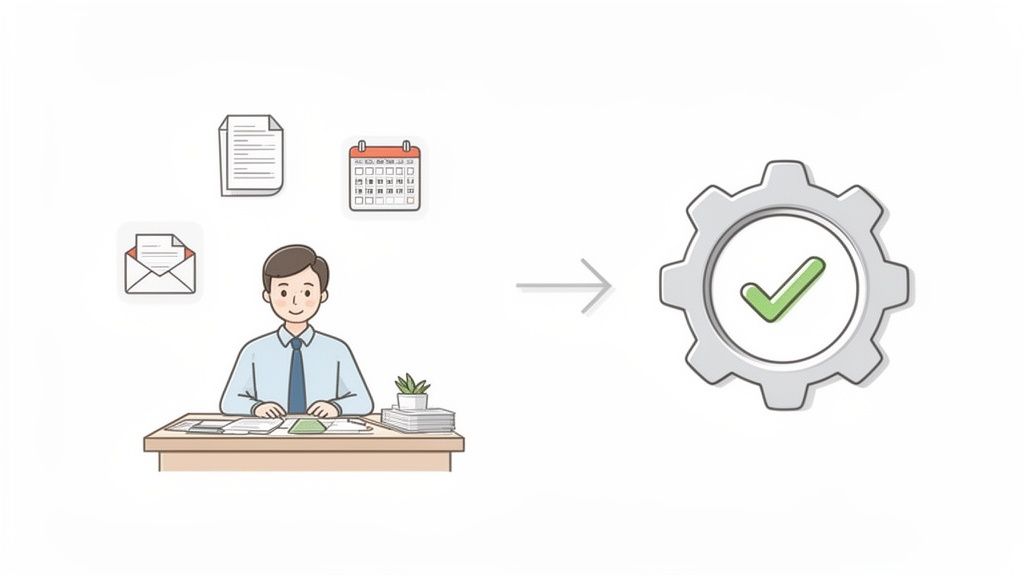
Let's be real. The daily grind of administrative work quietly eats away at your most precious resources: time, energy, and focus. I see it constantly, whether I'm talking with leaders at non-profits, medical practices, or small operations teams. The story is always the same—they're bogged down by repetitive work like data entry, manual follow-up emails, and tedious scheduling that modern systems could handle in a heartbeat.
This guide is designed to cut through the corporate-speak and show you what a smoother, more efficient operation actually looks like on the ground. We’ll walk through a clear, encouraging path forward, proving how accessible tools can help you not just compete, but thrive.
The Shift from Novelty to Necessity
The old idea that automation is just for big-budget corporations is completely outdated. The data shows a seismic shift in how small organizations are operating. In fact, AI investment among small and mid-sized businesses shot up to 57% in 2025, a massive jump from just 36% in 2023. That 58% increase shows that automation has become a core piece of business infrastructure. You can read the full research about SMB AI adoption trends to see just how quickly this is changing.
This isn't just about adopting new tech; it's a fundamental change in mindset. Leaders of small teams now see automation for what it is: a direct line to greater efficiency and a bigger impact.
By automating the mundane, you empower your team to focus on what humans do best: strategic thinking, building relationships, and creative problem-solving. It transforms your staff from task-doers into strategic operators.
When you start embracing automation, you'll see immediate benefits. You can:
- Reduce costly errors: Automated workflows don’t get tired or distracted. They ensure consistency and accuracy, minimizing the kinds of human mistakes that can hurt client trust or your bottom line.
- Improve response times: Imagine instantly following up on new inquiries, confirming appointments, or thanking donors without anyone having to lift a finger. That's the power of automation.
- Boost team morale: Taking tedious, repetitive work off your team’s plate is one of the best things you can do for them. It reduces burnout, increases job satisfaction, and lets them focus on more meaningful contributions.
Finding Your First High-Impact Automation Wins
Before you even think about picking a tool, the most important work happens right at your desk. You have to figure out where automation for your small business can actually make a difference. The goal isn't to automate for the sake of it; it's about being strategic and targeting the real time-wasters.
Start by hunting for the small, repetitive tasks that quietly eat up your team's day. These are the things that seem harmless on their own but add up to dozens of hours lost every month.
We're talking about predictable, rules-based work. This is the low-hanging fruit. For a small non-profit, that might be the mind-numbing routine of entering new donations into a spreadsheet and then manually composing a thank-you email. For a medical clinic, it’s the daily chore of calling every single patient to confirm their appointment for the next day.
These tasks are perfect candidates. Why? Because they follow the same exact steps every time, demand precision, and require zero creativity. That makes them a perfect job for a machine.
Uncovering Your Hidden Time Sinks
The best way to find these opportunities is with a simple "process audit." For one week, have your team—or just yourself—keep a running list of every recurring task that feels like a drag or pulls you away from meaningful work. It won't take long for patterns to emerge.
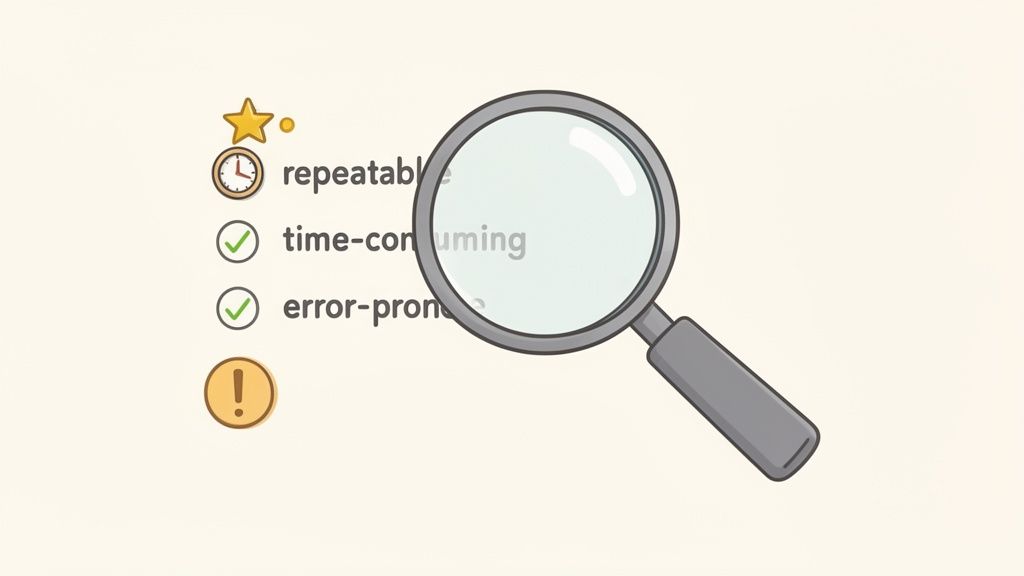
Keep an eye out for any work that is:
- Repetitive: Does someone do this same thing every day or every week? Think sending welcome emails or pulling the same report.
- Time-Consuming: Does a task take more than 15 minutes but offer almost no strategic value? Manually compiling weekly stats is a classic example.
- Error-Prone: Is it a data entry job where one little typo could create a headache later on? Copying contact info from a web form into your CRM certainly fits the bill.
Once you have a list, you can put a number to the pain. If someone spends 30 minutes every day updating a donor database, that’s over 10 hours a month gone. On one task. Suddenly, the value of automation becomes crystal clear.
I always advise clients to start with a simple question: "If we could eliminate one tedious task forever, which one would give us the most time back to focus on our clients, our mission, or growing the business?"
To help you get started, here's a quick look at common manual processes and what they look like after a little automation magic. This table should help you spot similar opportunities within your own team.
High-Impact Automation Targets for Small Teams
| Manual Task (The Pain Point) | Automated Workflow (The Solution) | Primary Benefit |
|---|---|---|
| Manually emailing new leads/clients | Trigger a personalized welcome email series when a new contact is added to the CRM. | Faster response time, consistent messaging, and no leads fall through the cracks. |
| Copy-pasting data between apps | Use an integration tool to automatically sync new customer info from a form to a spreadsheet and your email list. | Eliminates manual data entry, reduces human error, and saves hours per week. |
| Calling patients to confirm appointments | Set up automated SMS and email reminders to go out 24-48 hours before an appointment. | Drastically reduces no-show rates and frees up front-desk staff. |
| Creating weekly reports by hand | Build a dashboard that automatically pulls data from your key apps and updates in real-time. | Instant access to accurate data without the manual grind of report building. |
| Onboarding new donors or volunteers | When a donation is made, automatically send a thank-you note, add them to a specific list, and schedule a follow-up task. | Creates an immediate, positive connection and ensures proper follow-up. |
Seeing these examples side-by-side often sparks an "aha!" moment. You start to see how these small, tactical shifts can fundamentally change how your team operates.
Prioritizing Your Automation Roadmap
With a list of potential tasks in hand, it’s time to prioritize. Not all automations are created equal, especially when you’re just starting out. You’re looking for that sweet spot: high impact, low effort.
A great way to get an early win is by focusing on workflows that directly involve your clients, patients, or donors. Fixing a process that touches the outside world often delivers the most immediate and visible return on your time.
Consider these high-impact examples that are surprisingly simple to build with modern platforms like OpsHub:
- Client Intake: The moment a new contract is signed, automatically create a client profile, send a welcome packet, and schedule a kickoff call.
- Appointment Reminders: Send automated email and text reminders to patients 24 hours before their visit. This one change can make a huge dent in your no-show rate.
- Donor Communications: Instantly send a personalized thank-you email when an online donation comes through and automatically add that person to the right mailing list.
Choosing one of these for your first project is smart. It will build confidence, show your team the tangible benefits, and create the momentum you need to tackle even bigger, more complex automations down the road.
Choosing the Right Tools Without Getting Overwhelmed
The automation market is absolutely flooded with options, and it’s easy to feel paralyzed by the sheer number of choices. You can spend weeks stuck in "analysis paralysis," or even worse, pick a tool that just adds another complicated layer to your technology stack.
The real goal here is to find a platform that simplifies your life, not complicates it. Think of it as finding a central command center for your operations—a single place that can bring all your scattered processes together. You're not looking for just another app; you're looking for a foundation.
Start with What You Already Use
For most small organizations I work with, especially non-profits and medical practices, their existing software is the lifeblood of their operation. Any new automation tool has to play nicely with the systems your team uses every single day. If your team lives and breathes in Google Workspace, for example, a platform that can't connect seamlessly to Gmail, Drive, and Calendar is a complete non-starter.
Before you even think about booking a demo, jot down a quick list of your absolute must-have integrations.
- Communication Hub: Where does your team talk? (e.g., Gmail, Slack)
- File Storage: Where do all your documents live? (e.g., Google Drive, Dropbox)
- Core Systems: What is the one piece of software you can't live without? (e.g., your CRM, donor management platform, or electronic health record system)
If a new tool makes you manually move data between your core systems and the automation platform, it’s actively working against your goal.
When you're looking at a new tool, ask one simple question: "Does this make our current process easier, or does it force us to create a new one?" If it’s the latter, it's probably not the right fit.
Focus on User-Friendliness and Scalability
The best automation for a small business is one your team will actually adopt. It doesn't matter how powerful a platform is if you need a developer on hand just to build a simple workflow. I always advise looking for no-code or low-code interfaces with intuitive, drag-and-drop builders. These empower your non-technical staff to create and manage their own automations.
Just as important is finding a pricing model that can grow with you. A common mistake is getting locked into a pricey annual contract for features you might not need for years. A scalable subscription lets you start with the essentials and add more horsepower as your needs—and your budget—expand.
Look Beyond the Feature List
The good news is that the rise of accessible AI and automation has brought enterprise-level power to teams with small-team budgets. As a recent analysis of 2026 small business trends points out, these technologies are no longer a luxury; they're becoming affordable and deeply integrated into daily operations. This shift is a game-changer for budget-conscious organizations. You can discover more insights about small business trends and see just how much the landscape has changed.
So when you finally get on a demo call, don't just sit back and listen to a salesperson rattle off a list of features. Go in with one of the specific bottlenecks you identified earlier. Ask them to show you, step-by-step, exactly how their platform would solve your problem—whether that’s automating new client intake or streamlining donor thank-you letters. This practical approach cuts right through the marketing fluff and shows you if the tool can actually deliver.
Building Your First Workflow: A Practical Walkthrough
This is where the rubber meets the road. We've talked about the why of automation; now let's get our hands dirty with the how. I'm going to walk you through a couple of high-impact automations using a modern, low-code platform. My goal here is simple: to show you that you absolutely do not need to be a developer to build workflows that can change your business.
The secret to most automation is a simple formula: "When this happens, then do that." Once you start seeing your daily tasks through this lens, you can begin to connect the dots between the apps you already use, creating a system that quietly works for you in the background. We're focusing on practical steps, not complex code.
When you're picking your tools, there are three things that really matter: can it connect to your other software, is it easy enough for your team to actually use, and will it grow with you?
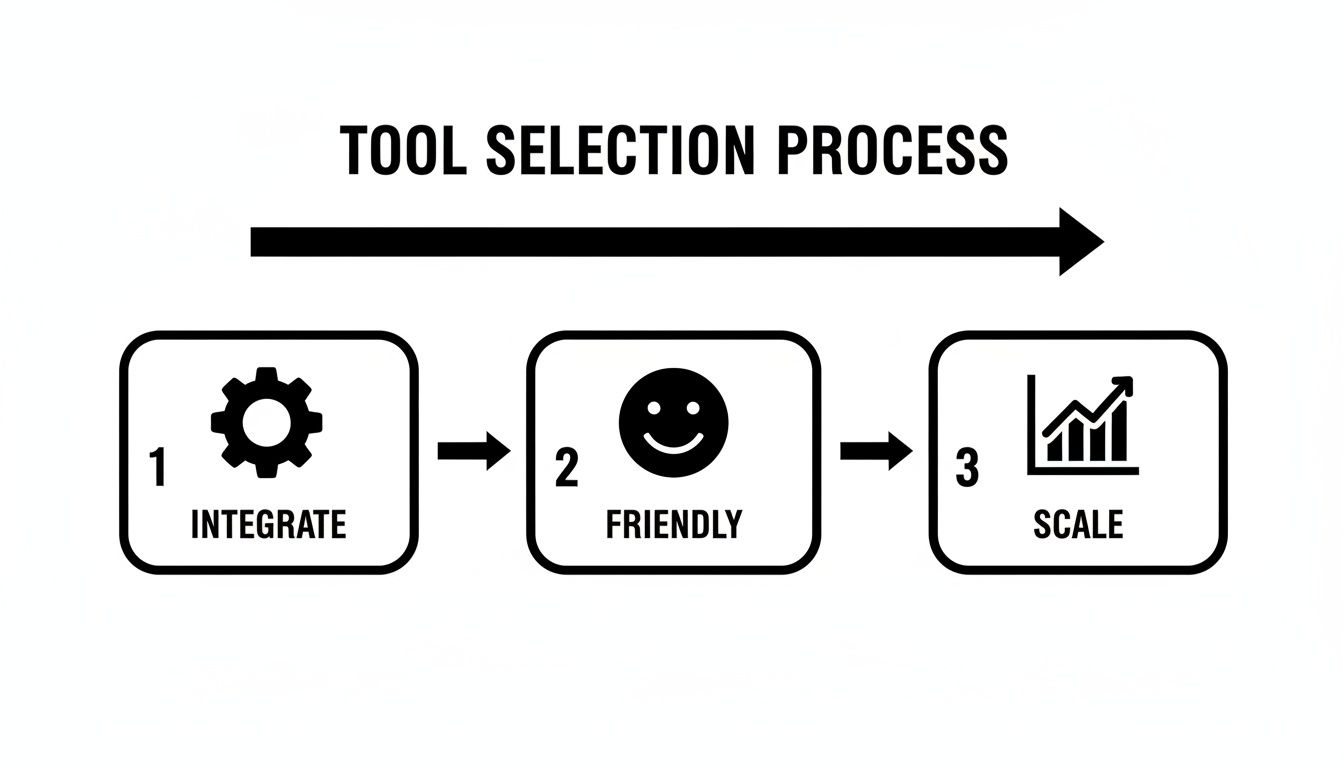
Think of it this way: the perfect tool has to play nice with your current setup, be genuinely user-friendly, and be able to handle more work as your organization expands.
Example One: Automating Non-Profit Donor Inquiries
Let’s start with a classic non-profit headache: managing inquiries from a website form. Done manually, this is a slow, clumsy process where it’s way too easy to let a potential donor's initial excitement fade. Here's how we can automate it from start to finish.
It all kicks off with a trigger event.
- The Trigger: Someone fills out the "Learn More" form on your website. That’s our "when this happens."
- Action 1: Log the Inquiry. The system instantly creates a new contact in your central database, like OpsHub, grabbing their name, email, and anything else they shared. No more copy-pasting.
- Action 2: Assign a Task. At the exact same moment, a task is created and assigned to your donor relations person with a clear due date. This ensures a prompt, personal follow-up.
- Action 3: Send a Personal Welcome. A personalized thank-you email goes out immediately. You can even pull their name right from the form: "Hi Jessica, thank you for your interest in our mission."
This simple workflow guarantees every single inquiry gets an immediate, professional response. Nothing falls through the cracks. You've just turned a reactive, manual task into a proactive, reliable system.
Example Two: Streamlining Medical Practice Appointments
Now for a service-based business, like a small medical practice. Patient no-shows are a killer for revenue, and the front desk staff spends a shocking amount of time on the phone playing reminder tag. This automation tackles that problem head-on.
The beauty of a unified platform is having a single dashboard where you can build, watch, and tweak all your automations without juggling a dozen different logins.
This workflow is a bit more advanced because it uses time-based triggers.
- The Trigger: A new appointment is booked in your practice management system.
- Action 1: Send Instant Confirmation. The moment the appointment is made, the patient receives an email and an optional SMS confirmation.
- Action 2: Send a Reminder. 24 hours before the appointment, another automated message goes out. This one action can slash your no-show rate. In fact, studies show that 56% of companies using this kind of operational improvement see time savings of around 30%.
- Action 3: Send Post-Visit Instructions. An hour after the appointment ends, a final email can be sent with care instructions, a link to schedule a follow-up, or a quick feedback survey.
These two examples are just the beginning, but they show how quickly you can build workflows that save real time, cut down on errors, and create a better experience for your clients, donors, or patients. Once you get these foundational automations running, you'll have the confidence and the skills to take on even bigger operational challenges.
How to Measure the Real ROI of Automation
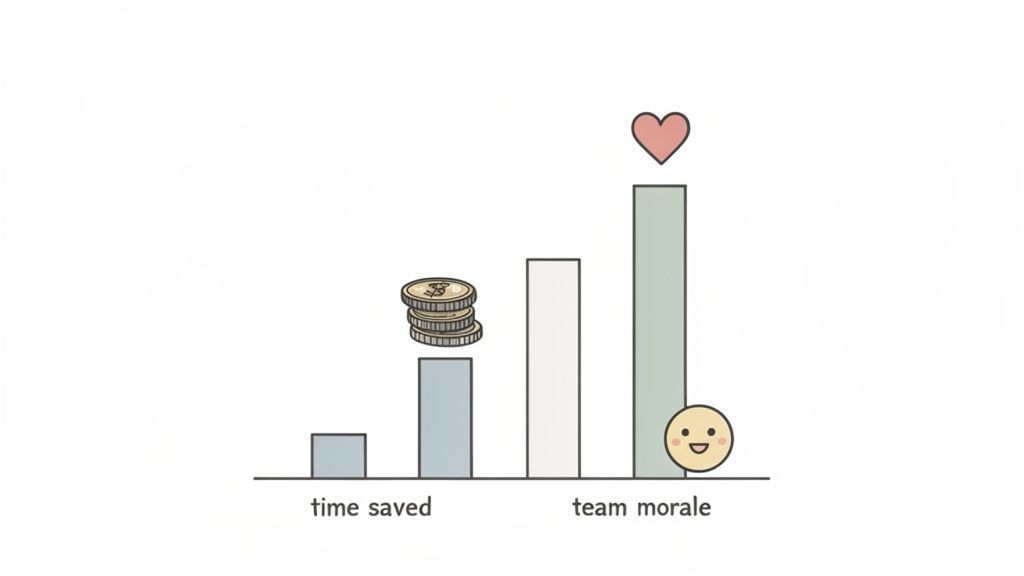
When you bring automation into your small business, it’s crucial to see it as an investment, not just another line item on your expense report. To really understand its value, you need to look beyond the easy-to-spot metric of "time saved" and measure the true return on investment (ROI). A full picture reveals how automation strengthens your bottom line from several directions.
The most straightforward place to start is with tangible savings. Before you automate anything, document how many hours your team sinks into that manual task each week or month. Multiply those hours by their hourly rate, and you’ve got your baseline cost. Once the automation is live, you can directly compare the software's cost to the manual labor it’s replaced.
But that’s just the beginning. The real magic happens in the metrics that aren't so obvious at first glance. These are the operational gains that fuel growth and make your business more resilient.
Key Metrics Beyond Time Saved
To grasp the full impact, you need to track a few key performance indicators (KPIs) before and after you flip the switch on a new workflow.
- Error Rate Reduction: Let's face it, manual data entry is a recipe for typos and mistakes. Track the number of errors—like incorrect order details or duplicate contacts—and the time spent fixing them. Automation can bring that number close to zero, saving you a ton in rework costs.
- Lead Response Time: How long does it take for someone on your team to follow up with a new lead? In sales, speed is everything. Automated responses can be instant, which is directly tied to higher conversion rates.
- Client or Patient No-Show Rate: If you run a service-based business, you know how much no-shows hurt. Automated reminders are a simple fix that can dramatically slash that rate, putting revenue directly back into your pocket.
- Customer Retention: Automation helps you deliver faster, more consistent service. That builds satisfaction and loyalty, which is far more cost-effective than constantly chasing new customers.
The most overlooked ROI is often risk mitigation. A solid, automated process is far less vulnerable to human error and operational hiccups, protecting your business from costs that could be truly catastrophic.
The Incalculable Value of Team Morale
Finally, don't underestimate the human element. When you take the mind-numbing, repetitive tasks off your team's plate, you’re directly fighting burnout. This simple act boosts employee satisfaction, reduces turnover, and frees up your people to focus on the strategic work that actually moves the needle.
On top of that, the financial hit from operational disruption has become too big to ignore. For small businesses, downtime can cost anywhere from $12,000 to $24,000 per hour, according to one analysis. This shows that investing in automation isn't just about efficiency; it's a direct strategy for cost avoidance and staying competitive. You can learn more about 2026 small business trends to get a clearer view of the financial landscape ahead.
Answering Your Top Questions About Automation
Starting with automation always brings up a few key questions. I hear the same worries from almost every small business leader I talk to: "Is it too expensive? Do I need a developer? Will it replace my team?" These are valid concerns, so let's tackle them head-on.
Is This Going to Be Too Expensive for My Business?
This is easily the biggest myth holding small businesses back. The idea of "automation" might sound like a massive, six-figure project, but that's not the world we live in anymore. Today’s platforms are built for us—the smaller teams—with flexible subscriptions that don't require a huge upfront investment.
Honestly, the better question is, "What's the cost of not doing this?"
Think about the real-world cost of manual work. Every hour your team spends copying and pasting data, chasing down information, or fixing human errors has a price tag. The monthly fee for a tool like Zapier or Make is often a tiny fraction of the money you get back in reclaimed time and fewer mistakes. Start with one or two high-impact workflows, prove the value to yourself, and then expand from there.
Do I Need a Developer to Get This Set Up?
Not anymore, and that's the best part. The rise of no-code and low-code tools means you're in the driver's seat. These platforms use visual, drag-and-drop interfaces that feel more like putting together a flowchart than writing code.
It’s a total game-changer. The focus has shifted from knowing how to code to knowing your own process. If you can sketch out the steps on a whiteboard, you have all the technical skill you need to build it.
This puts the power directly into the hands of the people who actually do the work. Your operations manager, your office admin, your head of marketing—they can now build the solutions they need without waiting in line for a developer.
Will Automation Replace My Employees?
This question always comes from a good place, and it’s an important one. The goal here is augmentation, not replacement. You're not looking to get rid of your people; you're looking to rescue them from the tedious tasks that drain their energy and lead to burnout.
By handing off the robotic work to software, you free up your team to focus on what people do best:
- Thinking strategically and solving the truly tough problems.
- Building real relationships with customers, patients, or donors.
- Coming up with creative ideas that actually move the needle.
You’re essentially promoting your team from task-doers to strategic thinkers. In my experience, that leads to higher morale and much better business results.
How Can I Be Sure Our Automated Processes Are Secure?
Security is non-negotiable, especially when you’re handling sensitive information. Any reputable automation platform will have enterprise-grade security baked in. We're talking about things like data encryption, multi-factor authentication, and strict access controls.
When you're vetting tools, look for vendors who are transparent about their security practices and have certifications like SOC 2 or compliance with regulations like GDPR and HIPAA. Paradoxically, centralizing your workflows in a secure, audited platform is often a huge security upgrade compared to scattered manual processes where a single mistake can expose data.
Ready to unify your workflows and build your first automation? OpsHub is an AI-powered operations platform that brings your automations, projects, and data into one calm command center. Start streamlining your business today.
Share This Story, Choose Your Platform!
TUNE IN

OpsHub Signal publishes analysis, essays, and field notes on operations, capital, policy, and systems design. Subscribe to receive a weekly briefing that cuts through noise and delivers what actually matters to operators.