

In a typical workday, your teams are likely jumping between emails, instant messages, and project boards. This constant shuffle creates digital chaos, slowing down decisions and making it tough to track progress. A centralized communication platform is designed to eliminate that noise by creating a digital headquarters for your entire organization—a single place for conversations, files, projects, and key updates. This isn't just another app; it's a strategic move to align your teams and bring clarity to your operations.
How to Escape Digital Chaos with a Centralized Platform
Think of your business as a high-performance engine. A scattered communication setup is like using the wrong fuel. It sputters, wastes energy, and runs inefficiently.
Every time an employee digs through their inbox, then a chat channel, then a project tool just to find one piece of information, you lose momentum. These micro-delays snowball into a massive productivity drain that impacts your bottom line.
This disjointed approach creates serious operational headaches. Information gets trapped in silos, leaving leaders without a clear, real-time picture of what's happening. Decisions are put on hold while someone hunts for the latest file version or waits for a reply buried in a week-old email thread. You end up with a reactive, fractured organization that's always playing catch-up. A mess of disconnected tools only makes the problem worse.
Step 1: Establish a Single Source of Truth
A centralized platform changes the game by consolidating your chaotic pile of apps. By bringing every interaction into one unified space, you create a single source of truth where context is never lost and information is always easy to find.
For executives, this transition provides a unified command center. Instead of trying to stitch together reports from different departments, they can see conversations, project updates, and critical files all in one place. This complete view allows for quicker, smarter decision-making and provides a level of operational clarity that was previously impossible.
When you consolidate communication, you eliminate the constant context-switching that fragments an employee's day. That lets people focus deeply and produce higher-quality work, turning previously wasted time into real, valuable output.
Step 2: Build a Foundation for Growth
Implementing a centralized system is more than a quick fix for messy workflows; it's a strategic investment in your company's ability to scale. As you grow, a unified platform ensures new teams and projects can launch smoothly without creating new information silos.
It establishes a consistent way of working that supports everyone, whether they're in the office or remote. To structure this change effectively, use our guide on how to create a communication plan as a starting point.
Ultimately, a centralized communication platform moves your business from digital disarray to operational excellence. It gives your teams the power to collaborate effectively, simplifies complex work, and provides leaders with the visibility they need to steer the organization with confidence.
As an executive, you’re not just looking for another piece of software; you’re looking for a strategic advantage. A centralized communication platform provides that, but its true value isn't in a long list of technical features. It’s in how it solves real-world business problems, cuts through operational noise, and helps your teams make better, faster decisions.
This isn’t a niche idea; it’s a massive market shift. The Enterprise Communication and Collaboration (ECC) Platform market is already a $50 billion industry, and it's on track to triple to $150 billion by 2033. The reason is simple: studies show that without a central hub, teams can lose 20-30% of their productivity just from switching between different apps. That's a direct hit to the bottom line.
Think about the digital chaos in most organizations: critical information is buried in email chains, project updates are lost in scattered chat apps, and final versions of documents are anyone's guess. It's a mess.
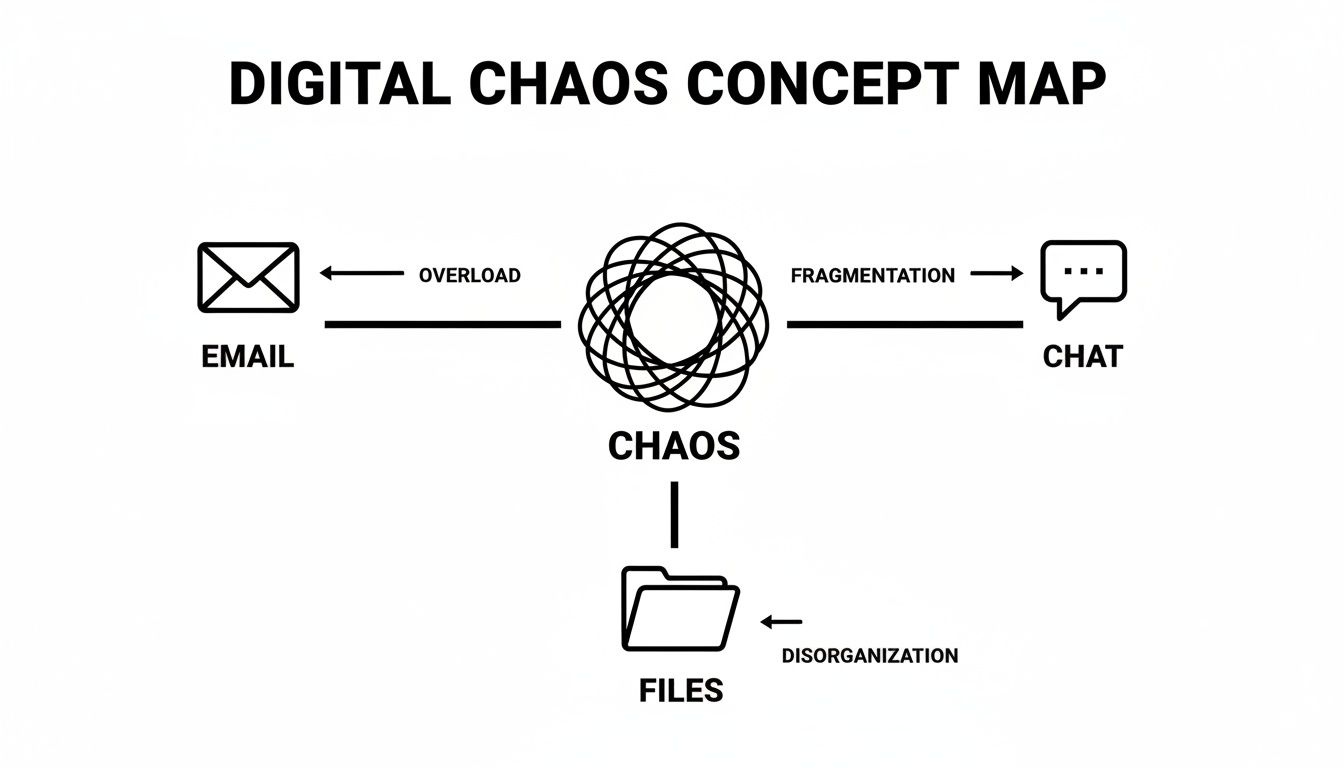
This fragmentation doesn't just slow things down; it actively works against your goals by creating confusion and inefficiency. A unified platform is the practical solution to this operational drag.
To truly understand the shift, it helps to see a direct comparison of the old way versus the new way.
From Fragmented Tools to a Unified Platform: A Practical Comparison
The table below breaks down common operational headaches and shows how a centralized platform directly addresses the problems caused by relying on a patchwork of disconnected tools.
| Operational Challenge | Siloed Tool Approach (The Problem) | Centralized Platform Solution (The Benefit) |
|---|---|---|
| Finding Information | Searching across emails, chats, and shared drives for one piece of data. | A single, searchable repository for all conversations and files. |
| Decision-Making | Waiting hours or days for email responses to get everyone on the same page. | Real-time channels where stakeholders can discuss and decide in minutes. |
| Version Control | Multiple versions of a file exist as email attachments, causing confusion and errors. | A single source of truth for every document with clear version history. |
| Onboarding New Hires | New team members lack historical context and must piece it together from scratch. | All relevant project history is preserved in dedicated channels for easy access. |
| Security & Compliance | Sensitive data is spread across unmanaged personal drives and third-party apps. | Granular access controls and centralized oversight in a secure environment. |
This isn't just a workflow improvement; it’s a fundamental change in how your organization operates, moving from reactive and chaotic to proactive and organized.
How Unified Messaging Accelerates Decisions
At its core, a centralized platform brings all your messaging—instant chat, group channels, direct messages—into one place. For a leader, this delivers one thing: speed.
Imagine a critical issue comes up that needs input from marketing, sales, and legal. Instead of a slow-moving email chain where context gets lost with every "reply all," you create a dedicated channel. Everyone sees the conversation in real time. Questions get answered immediately. A decision that might have taken a week of back-and-forth emails now gets made in an afternoon.
How Centralized File Collaboration Secures Your IP
When your team’s files are scattered across personal drives, email attachments, and random cloud services, your intellectual property is at risk. A centralized platform solves this by creating a single, secure home for all your critical documents.
This delivers two practical benefits from an executive perspective:
- Version Control: No more costly mistakes from someone working off an old draft. Everyone has access to the most current file, period.
- Access Management: You control exactly who can see, edit, or share sensitive information. This tightens your security and makes compliance audits far less painful.
A centralized platform turns file management from a major liability into a secure, controlled asset. It builds a system that protects your company's most valuable information while making sure the right people can find it when they need it.
How to Build a Connected Ecosystem with Integrated Tools
A great communication platform doesn’t operate in isolation. It must connect directly to the critical systems you rely on, like your CRM, ERP, and project management tools, through robust API integrations.
For example, you can configure an automation where a new high-value lead in your CRM automatically posts an alert in the main sales channel. That ensures instant follow-up and eliminates dropped balls. This creates a truly connected ecosystem where information flows where it needs to go, automating routine work and giving you a complete picture of your operations. To fully eliminate digital chaos, a platform must also handle communication coming from the outside world, much like advanced multi-channel marketing automation systems do.
Finally, comprehensive analytics give you the data-backed insights needed to lead effectively. Dashboards can show communication patterns, team engagement, and productivity trends. This isn't just interesting data—it's intelligence you can use to spot bottlenecks, identify how your best teams collaborate, and make smart decisions to improve how work gets done.
Putting Theory into Practice: Real-World Use Cases
The real measure of a centralized communication platform isn't its list of features—it's how it solves concrete business problems. For executives, this is about turning abstract capabilities into tangible improvements that save time, reduce friction, and drive growth. When implemented correctly, this platform becomes the operational engine of your entire organization.
The momentum behind these solutions is impossible to ignore. The Enterprise Collaboration market is already valued at $59.67 billion and is expected to explode to $161.04 billion by 2034. That growth is fueled by a clear need for integrated tools that eliminate the manual grind of reporting and coordination, especially as hybrid work becomes the norm. You can get a deeper look into this trend by exploring the full market analysis from Fortune Business Insights.
But let's move beyond market data and into three practical scenarios where a central platform delivers measurable value.
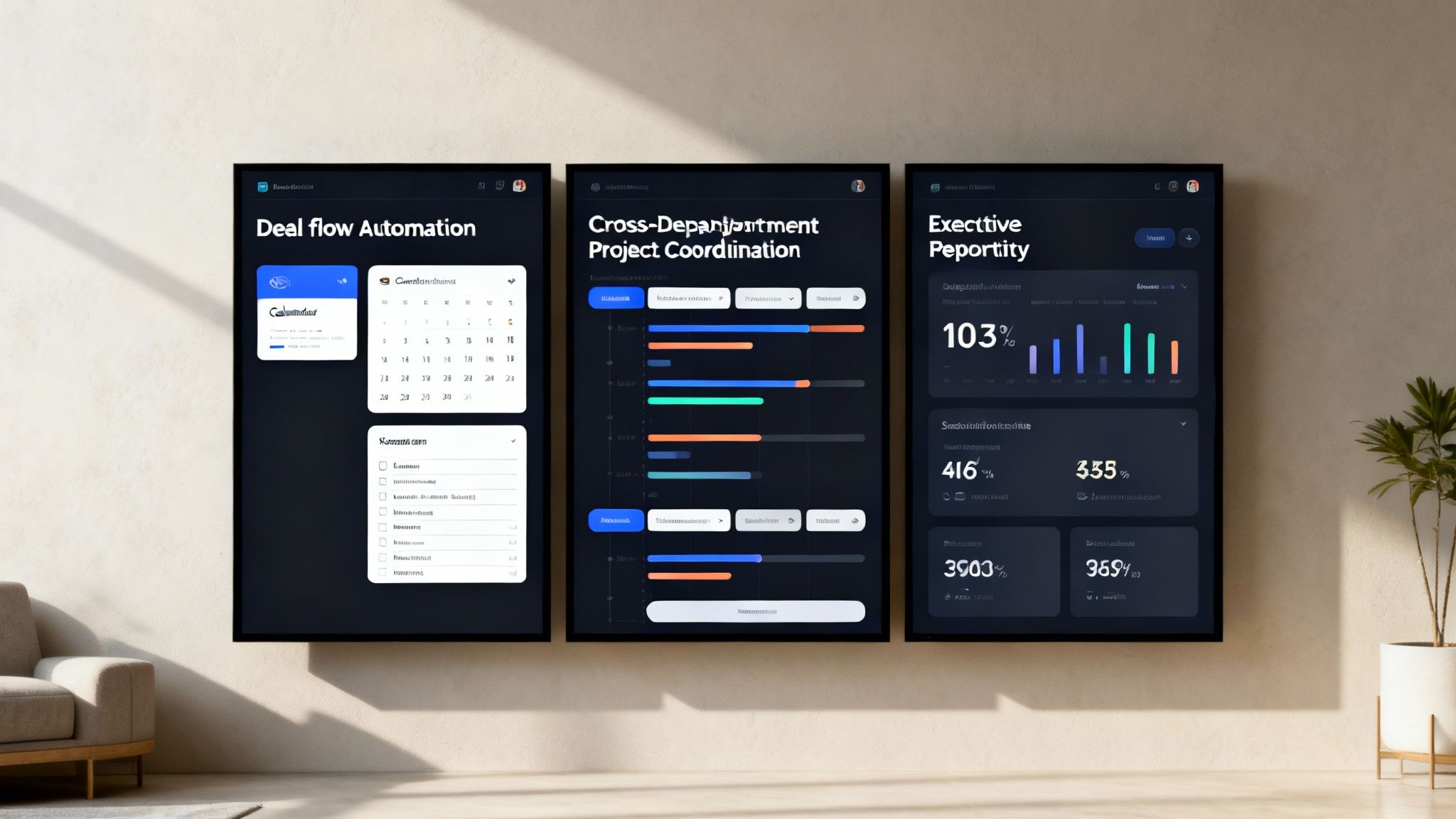
Use Case 1: Automating Deal Flow
Whether you're in an investment firm or a sales-focused business, managing deal flow is a high-stakes game. Without a unified system, it quickly devolves into a mess of siloed inboxes and missed follow-ups. This manual chaos creates bottlenecks that can easily cost you your next big opportunity.
A centralized platform with smart automation flips the script. Here is a step-by-step example:
- Intake and Triage: A new lead submitted through a web form instantly creates a dedicated channel or task in the platform. No more manual data entry.
- Automated Stakeholder Notifications: Key people in finance, legal, and operations are pinged the moment a deal needs their review. This eliminates sluggish, manual handoffs.
- Triggered Follow-Ups: Configure the system to send automatic reminders if a reviewer hasn't weighed in after a set period. The process keeps moving without anyone having to chase updates.
This structured workflow gives executives a real-time view of the entire pipeline. Instead of asking for updates, you can see the status of every deal at a glance, spot hold-ups, and ensure the most promising opportunities get the attention they deserve.
Use Case 2: Enhancing Internal Project Coordination
Picture a Chief Operating Officer running a major cross-departmental initiative, like a new product launch. The engineering, marketing, sales, and support teams all work in their own tools and report progress in different formats. The COO is stuck in back-to-back status meetings just trying to connect the dots.
A centralized platform becomes the single source of truth for the project.
By creating a dedicated project hub, you replace fragmented updates and endless meetings with a persistent, real-time view of progress. This allows leadership to focus on strategic guidance instead of administrative herding.
Here’s what that looks like in action:
- A Central Project Channel: All discussions, files, and key decisions live in one searchable place. Nothing gets lost in an email thread.
- Integrated Task Management: Team members can link tasks from their other project management tools, so progress updates flow automatically into the central channel.
- Consolidated Reporting: Instead of building separate slide decks, each department lead posts a quick, standardized update directly in the platform each week.
Now, the COO can get a complete project overview in minutes, not hours. Those redundant status meetings can be cut down or eliminated, freeing up a massive amount of time for every leader involved. For more examples, check out our guide on intelligent automation use cases.
Use Case 3: Simplifying Executive Reporting
For any C-suite leader, getting timely, accurate data is critical. But too often, they rely on manually assembled reports that are a pain to create and are stale by the time they land on their desk. This usually involves someone painstakingly pulling data from the CRM, financial software, and operational dashboards.
A centralized communication platform with powerful integrations can automate this entire workflow. By connecting to your core business systems through APIs, the platform can pull critical metrics into one clean executive dashboard.
Imagine a CEO who wants a daily snapshot of the business. An automated workflow can:
- Pull key sales metrics from the CRM.
- Fetch financial performance data from the accounting system.
- Aggregate project completion rates from the project management tool.
All this information is then presented in a simple, easy-to-read dashboard right inside the platform. Leadership gets instant, reliable updates from a single screen, ending the delays and human error that come with manual reporting.
How to Weave Your Platform into the Fabric of Your Business
A centralized communication platform is powerful on its own, but its real value comes from integrating it with your existing tech stack. Think of it less as a new app and more as the central nervous system connecting everything your teams already use. The goal isn't just to install software; it's to weave it into your daily workflows so seamlessly that the friction between applications disappears.
The first practical step is connecting the platform to everyday essentials like Google Workspace or [Microsoft 35]. This allows for automatic synchronization of calendars, emails, and files. When someone schedules a meeting in the platform, it should automatically appear on everyone's Google or Outlook calendar. No more tedious manual entry.
This initial link ensures your new hub complements, rather than competes with, the productivity suites your organization already uses.
Creating a Single Pane of Glass for Operations
Once you've handled the basics, the real value emerges when you connect your platform to specialized business software like your CRM, project management boards, and financial systems. Without integration, these tools operate in their own silos, forcing people to constantly switch tabs and copy-paste information.
The key to bridging these gaps is using Application Programming Interfaces (APIs). An API is essentially a secure messenger that lets different software systems talk to each other and share data automatically. This is the bedrock of a truly connected business.
A platform’s impact is directly tied to its robust app integrations, which enable smooth workflows across tools and cultivate a genuinely centralized communication hub.
An integrated platform doesn’t just show you conversations; it shows you conversations in the context of the work being done. It connects the "what" from your operational tools with the "why" from your team's discussions.
This drive for connectivity is fueling incredible market growth. The Communication Platform as a Service (CPaaS) market is expected to explode from $22.89 billion to $108.12 billion by 2034. That's a staggering 18.83% CAGR, all driven by the power of APIs to centralize voice, SMS, and video. This highlights a clear shift toward programmable, integrated hubs that automate tasks and get rid of the friction between systems.
Moving from Simple Connection to Smart Automation
With your tools connected, the next step is building automated workflows that move information and trigger actions across systems. This transforms your communication platform from a simple hub into an engine for operational efficiency. You’re no longer just linking apps; you’re creating smart processes that run themselves.
Here are a few practical examples of how this looks in practice:
- Sales Process: A salesperson marks a deal as "Closed-Won" in your CRM. A workflow can instantly post a celebration message in the sales channel, create a new project for the onboarding team, and schedule a kickoff meeting.
- Customer Support: A high-priority support ticket is opened in your helpdesk system. An alert is immediately sent to a dedicated engineering channel, ensuring the right experts see it within seconds.
- Financial Reporting: At the end of the month, a workflow automatically pulls key metrics from your accounting software and posts a summary report directly into the leadership channel, no manual report-building required.
These automations lift the administrative burden from your team, dramatically reduce the chance of mistakes, and make work happen faster. To get a better handle on how these connections work, take a look at our guide on what systems integration truly means.
A Phased Rollout for Maximum Adoption
Remember that even the most powerful system is useless if no one uses it. A "big bang" launch where everyone gets access at once is often a recipe for chaos. A strategic, phased rollout is a far smarter approach that ensures success.
Start with a pilot program. Pick a single, tech-friendly team or department to be your test group. This allows you to:
- Test and Refine: Iron out any kinks in the integrations and workflows in a low-stakes environment.
- Gather Feedback: Get direct input from actual users to find out what works and what needs tweaking before a company-wide launch.
- Build Champions: This pilot group becomes your internal advocates—people who understand the platform's value and can help coach their colleagues.
By proving the concept on a smaller scale, you build momentum and demonstrate real benefits. Soon, the rest of the organization won't just be willing to adopt the platform; they'll be asking for it. This is how you turn a powerful tool into the indispensable heart of your company.
Measuring ROI and Ensuring Enterprise Security
For any executive, every major investment decision comes down to two questions: Is it secure, and what's the payback? A centralized communication platform needs to deliver a solid "yes" to both. It’s a strategic asset that can lock down your data and deliver a tangible return.
Before we talk numbers, let's address security. If your teams are scattered across dozens of unsanctioned apps and personal cloud accounts—the dreaded "shadow IT"—you're fighting a losing battle. Centralizing communication is your first and best defense, giving you a single, controllable environment instead of a chaotic digital free-for-all.

How to Fortify Your Digital Headquarters
An enterprise-grade platform must be built with security in its DNA. With the cost of cybercrime expected to hit an astounding $10.5 trillion this year, security is non-negotiable.
Here’s what to look for in practice:
- End-to-End Encryption: This is the baseline. It means all your data—whether at rest on a server or in transit between users—is completely unreadable to unauthorized parties.
- Granular Access Controls: You decide exactly who can see, edit, or share information. Create secure, confidential channels for everything from leadership planning to sensitive M&A discussions.
- Data Residency Controls: For global businesses, this is critical. It lets you control the specific geographic regions where your data is stored, making it easier to comply with regulations like GDPR.
- Comprehensive Audit Trails: Think of this as a complete, unchangeable security log. It tracks every action, like who opened a file, when a message was deleted, or who changed a permission. For a deeper dive, check out our guide on audit trail best practices to ensure you’re always compliant.
By bringing all your communication under one roof, you gain a single command center. This makes it infinitely easier to enforce security policies, manage user access, and shut down potential threats fast.
A Practical Framework for Calculating ROI
While security is the foundation, a clear return on investment is what gets the project approved. The ROI of a centralized platform isn't just about "soft benefits." You can measure it with hard numbers that directly impact the bottom line.
The true value of a centralized platform is found in its ability to reclaim your organization's most valuable and finite resource: time. It systematically converts wasted hours spent on administrative friction into productive output.
Here's a simple, four-step framework to build your business case:
Time Saved on Administrative Tasks: Track how many hours your teams burn looking for information, chasing approvals in email chains, or manually pulling together reports. A 20% reduction in this administrative drag for a 100-person team can easily free up thousands of productive hours every year.
Productivity Gained from Reduced Context Switching: Research shows that every time someone hops between apps, it takes several minutes to regain focus. When conversations, files, and tasks all live in the same place, you reduce those costly interruptions, leading to deeper focus and higher-quality work.
Costs Avoided by Consolidating Licenses: Conduct an audit of your current software stack. Are you paying for multiple, overlapping subscriptions for video calls, file sharing, and team messaging? Consolidating them into one platform is an immediate and often significant cost-saving.
Error Reduction Through Automation: Manual data entry and handoffs between departments are breeding grounds for expensive mistakes. When you automate workflows—like automatically updating your CRM from a sales channel—you slash the risk of human error, preventing costly rework and keeping clients happy.
Quantifying these four areas turns your proposal from "it feels more efficient" into a data-driven argument. It allows you to confidently state, "this will deliver a projected $X in value," providing a clear and compelling business case for making the switch.
Your Action Plan for Platform Adoption
Moving from a great idea to a daily reality takes a solid plan. Bringing in a centralized communication platform isn't just an IT project; it’s a shift in how your entire business operates. A rushed or poorly planned implementation will lead to user resistance and undermine the very efficiency you aim to create.
Here’s a practical, four-step framework to guide a smooth transition and ensure you get maximum value from day one.
Step 1: Audit Your Current Communication Stack
Before you can build something better, you have to know exactly what you’re working with. The first step is to audit every communication tool currently in use. Make a list of every application your teams use for messaging, video calls, file sharing, and project management—including unofficial, "shadow IT" apps.
You'll almost certainly find significant overlap. You might be paying for three different video conferencing tools or discover that various teams are using personal file-sharing accounts, creating major security gaps. Documenting these redundancies and pain points provides the hard data needed to build a business case for the change.
Step 2: Define Your Core Business Objectives
Once you have a clear picture of your current setup, define what success looks like. A new platform shouldn't be a solution looking for a problem. You need to connect its adoption directly to tangible business outcomes.
Are you trying to speed up your sales cycle? Reduce time wasted in status meetings? Or get your marketing and product teams to collaborate more smoothly? Get specific. A good goal sounds like this: "Reduce the average time to resolve cross-functional issues by 25% within six months." Setting clear goals provides a benchmark for success and keeps everyone focused on solving real problems, not just deploying new tech.
A successful adoption focuses on outcomes, not features. By aligning the platform's capabilities with specific business goals, you build a powerful case for change that resonates across the entire organization.
Step 3: Prioritize Integration Capabilities
It's tempting to get dazzled by flashy features when evaluating platforms. But the real power of a central hub is how well it connects with the tools you already have. If a platform can’t communicate with your CRM, project management software, and other key systems, you're just creating another information silo.
Your evaluation process should heavily emphasize the strength and flexibility of each platform’s API. Can it handle the automated workflows your teams need? Does it offer pre-built connectors for the software your people depend on every day? Choosing a platform for its integration capabilities ensures it becomes the true nerve center of your operations, not just another app to check.
Step 4: Launch a Strategic Pilot Program
Finally, resist the urge to do a big, company-wide launch all at once. It's much smarter to start small with a pilot program. Pick a single team or department that is open to new technology and let them go first.
This focused trial run lets you test the entire setup in a controlled environment. You’ll get invaluable feedback and have a chance to iron out any wrinkles before the full rollout. Better yet, this pilot team will become your internal champions. They can provide real-world testimonials and help their colleagues see the benefits firsthand. This phased approach reduces risk, builds positive buzz, and ensures that when you do launch for everyone, people are actually excited to get on board.
Common Questions and Straight Answers
Making a move to a centralized communication platform is a big decision, and it’s smart to have questions. Here are some of the most common ones we hear from leaders, along with practical, no-nonsense answers.
How Long Will This Take to Implement?
The timeline depends on your organization's complexity, but we strongly advise against a "big bang" rollout. A smarter approach is to start small and scale. You can get a pilot program up and running with a single, enthusiastic team in just a few weeks.
This gives you a chance to work out the kinks, show some early wins, and build momentum. From there, a wider, department-by-department rollout can happen over the course of a quarter. The goal isn't just speed; it's ensuring the platform is genuinely helping people from day one.
Will My Team Actually Use This?
Adoption comes down to two simple things: does it solve a real problem, and is it easier than what they're doing now? If your new platform is more intuitive than bouncing between five different apps to get something done, your team will naturally gravitate toward it.
True adoption isn't forced; it's earned. When your team sees for themselves that a tool eliminates tedious tasks and makes it easy to find what they need, they won't need convincing.
The best way to achieve this is by starting with a small group of internal champions. Let them test the platform and prove its value to their colleagues. That kind of peer-to-peer endorsement is far more powerful than any top-down mandate.
Isn't This Just Another Tool We Have to Manage?
Quite the opposite. The entire point of a centralized platform is to consolidate and simplify. It's designed to replace the patchwork of separate tools you're already paying for—like messaging, video conferencing, and file storage—and reduce your subscription overhead.
By integrating with the systems you already rely on, such as your CRM, it becomes the one place where work actually happens. Think of it less as another destination and more as a "single pane of glass" for your operations, ending the constant app-switching for good.
At OpsHub, we build and manage custom workflows that plug directly into your current setup. We handle the complexity so your team can focus on their work, not on becoming AI experts. Learn how we can turn your operational drag into a real competitive edge.
Share This Story, Choose Your Platform!
TUNE IN

OpsHub Signal publishes analysis, essays, and field notes on operations, capital, policy, and systems design. Subscribe to receive a weekly briefing that cuts through noise and delivers what actually matters to operators.