
Ever feel like you're drowning in paperwork, sticky notes, and a never-ending chain of emails just to get simple things done? That's the daily reality for many small businesses. Workflow management software is designed to rescue you from that chaos.
Think of it as the air traffic controller for your business. It helps you map out, organize, and automate all the repetitive tasks that keep your company running, from onboarding a new client to closing out a project.
What Is Small Business Workflow Management Software
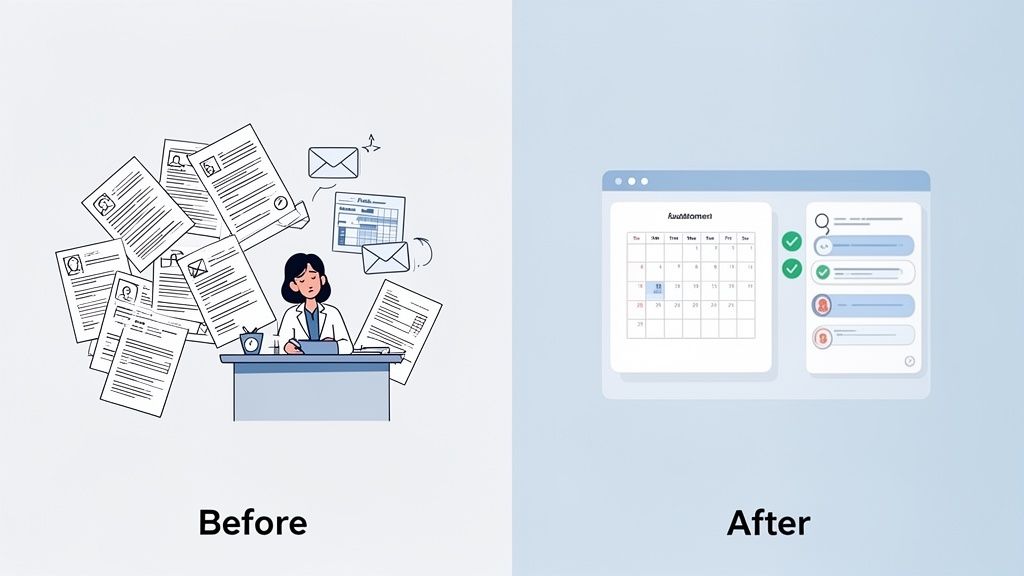
Let's take a small medical practice as an example. They're juggling patient intake forms, appointment scheduling, insurance claims, and billing reminders. Without a central system, this often turns into a messy combination of spreadsheets, manual emails, and forgotten follow-ups.
Workflow management software steps in to bring order to that process. It's not just another app; it’s the operational backbone that connects everything. The software takes your business's unique processes and turns them into a clear, visible, and automated system. It becomes the one place everyone goes to see what needs to be done, who's doing it, and where things stand.
Moving Beyond Manual Processes
At its heart, this kind of software is about replacing those scattered, manual methods with a single, dependable system. Instead of relying on someone's memory or digging through old email threads, your team follows a clear, pre-built path for every important task.
And it doesn’t have to disrupt your current setup. For a small business already using Google Workspace, a platform like OpsHub can integrate directly with the tools you use every day. This simple connection transforms apps like Google Drive and Gmail into powerful, automated parts of your operational engine.
This move away from manual work isn’t just a nice-to-have; it's quickly becoming essential. The market for these systems among small and medium-sized enterprises (SMEs) is expected to grow 12.3 times between 2025 and 2035. In fact, 50% of SMEs are planning to adopt a workflow management system by 2025. This isn't a fad—it's a fundamental shift in how small businesses operate, as detailed in reports from sources like Future Market Insights.
A workflow is just a series of repeatable steps you take to get something done. Workflow management software gives you the digital tools to define, run, and automate those steps consistently.
The Real-World Impact on Operations
The most immediate benefit you'll see is a massive drop in administrative busywork. The software takes over the monotonous, repetitive tasks that eat up so much time and often lead to costly human errors. This frees up your team to focus on what actually matters—growing the business, delighting customers, or providing better patient care.
Think about the transformation in these simple terms:
- From Chaos to Clarity: Guesswork is replaced with a clear plan. Everyone knows exactly who is responsible for what, and when it's due.
- From Repetition to Automation: Routine jobs like sending reminder emails, assigning follow-ups, or getting approvals happen automatically in the background.
- From Silos to Synergy: It connects different people and departments, creating smooth handoffs and making communication completely transparent.
Ultimately, workflow management software is about giving you back control over your business. It provides the structure and automation you need to build a more efficient, scalable, and resilient operation, so you can stop getting bogged down by your processes and start focusing on your purpose.
What Are the Real-World Benefits of Better Business Operations?
Bringing workflow management software into your small business isn't just about ticking off tasks more efficiently—it’s about fundamentally changing how you operate. If you're a COO, a non-profit director, or running a medical practice, your main job is turning big-picture goals into small, daily wins. That's exactly where this kind of system shines.
The first major shift is gaining total visibility over your operations. For anyone in an operations or IT role, this software becomes your command center, lighting up every step of a project. It immediately exposes bottlenecks—you can see exactly where a process gets stuck, who needs to take the next step, and how long things are really taking. This kind of clarity means no more guesswork and far fewer "just checking in" meetings.
More Impact, Less Friction
In mission-driven organizations like non-profits, every minute and dollar counts. Automating the workflow for things like grant applications, donor communication, or volunteer onboarding frees up an incredible amount of time. Instead of drowning in administrative tasks, your team can pour that energy back into serving the community and pushing your mission forward.
A small medical practice or med spa deals with a similar resource crunch, but with the added weight of patient care and strict compliance. Imagine automating patient intake forms, appointment reminders, and follow-up messages. Not only does this cut down on human error, but it also creates a much smoother, more professional experience for your patients.
This is precisely why the global workflow automation market is exploding. It jumped from $10.09 billion in 2023 and is on track to hit $51.19 billion by 2030. The real driver of this growth is integrated software, which is expected to make up 47.60% of the market's revenue by 2025 because it connects different departments and gets everyone on the same page. You can get a deeper look at this trend from Startus Insights.
A good workflow system doesn't just speed up what you're already doing. It provides the foundation to build smarter, more scalable processes that grow right along with you.
Turning High-Level Goals into Everyday Progress
The true magic of these systems is how they connect your big strategy to the small, daily actions that make it happen. A platform like OpsHub, which is built to work seamlessly with Google Workspace, takes the tools your team already uses every day and turns them into a high-powered operational engine.
Let’s break down what these benefits look like in practice:
- Boosted Productivity: An operations team puts its client onboarding on autopilot. As soon as a new client signs, the system automatically creates and assigns tasks to legal, finance, and the project lead—all with deadlines and the right documents pulled from Google Drive.
- Fewer Costly Errors: A med spa uses an automated workflow for patient consent forms. The system won't let an appointment proceed until every field is filled out and digitally signed, wiping out incomplete paperwork and compliance headaches.
- Clearer Accountability: A non-profit fundraiser can see the entire journey of a donation, from the initial pledge to the thank-you note. Every touchpoint is recorded, creating a perfect audit trail and making sure no supporter ever falls through the cracks.
At the end of the day, improving your operations is about building a more resilient, efficient, and focused organization. When you automate the repetitive work, you free up your people to focus their talent on the strategic initiatives that truly move the needle.
What to Look For in Workflow Software
When you start shopping for a platform, it's easy to get lost in a sea of feature lists. But the best small business workflow management software isn’t the one with the most bells and whistles. It’s the one with the right tools that actually solve your biggest operational headaches.
Let's cut through the noise and focus on the core capabilities that genuinely make a difference. These are the features that transform a simple tool into a true command center for your business, each one designed to tackle a specific, common challenge you face every single day.
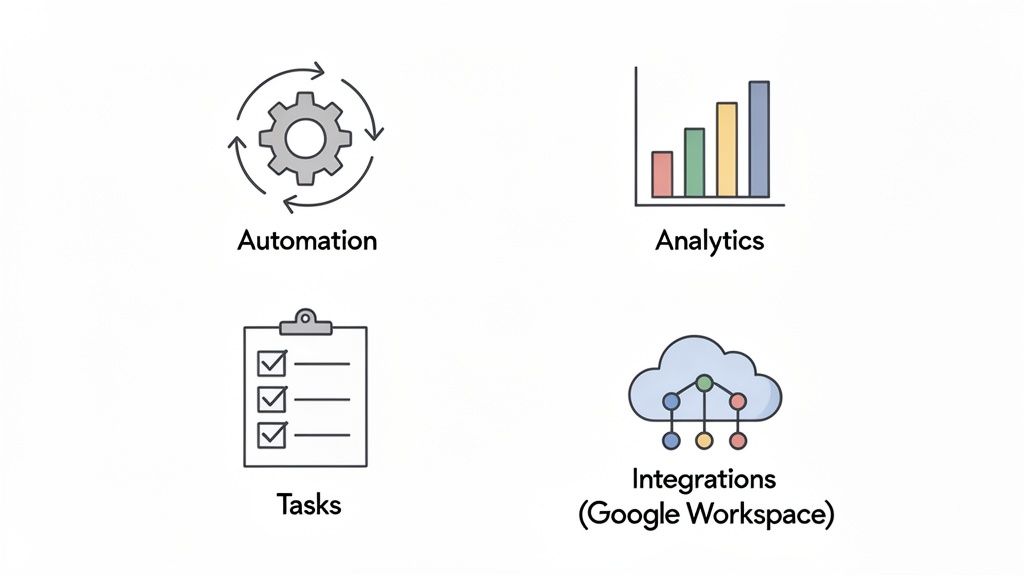
When evaluating your options, look for a platform built around these four essential pillars. Each one addresses a critical need for small businesses trying to scale efficiently.
Essential Features of Effective Workflow Management Software
| Feature | What It Does | Key Benefit for Your Business |
|---|---|---|
| No-Code Automation | Creates "if-this-then-that" rules to perform multi-step tasks automatically, without requiring any coding knowledge. | Frees up your team from repetitive manual work, reduces human error, and ensures processes are followed consistently. |
| Centralized Task Hub | Consolidates all tasks, projects, deadlines, and communications into a single, organized, and searchable platform. | Provides a "single source of truth" for all work, eliminating confusion, improving accountability, and giving leaders a clear view of progress. |
| Built-In Analytics | Tracks key performance metrics like task completion time, workflow bottlenecks, and team workload in real-time. | Replaces guesswork with hard data, allowing you to identify inefficiencies and make smart, evidence-based decisions to improve operations. |
| Deep Integrations | Connects seamlessly with the other tools you already use every day (like email, cloud storage, and calendars). | Creates a unified tech stack where information flows automatically between apps, eliminating manual data entry and context-switching. |
These features work together to create a system that not only organizes your work but actively makes it easier, faster, and more reliable.
1. Smart, No-Code Automation
The Problem: Your team is drowning in busywork. They spend hours copying data from a Google Form into a Google Sheet, then manually creating a task in another app, and finally drafting a notification email. This isn't just slow—it's a recipe for burnout and costly mistakes.
The Solution: Good workflow software comes with a smart automation engine. It lets you build rules that trigger a sequence of actions automatically, all without writing a single line of code.
Think of it like setting up a series of dominoes. When the first one is pushed (a new client signs up), the rest fall into place on their own:
- A new project is instantly created for the client.
- A client folder is generated in Google Drive.
- A welcome email is sent directly from your Gmail account.
This capability alone can reclaim hundreds of hours, empowering your team to focus on the strategic work that actually grows the business.
Workflow automation isn't about replacing people. It's about empowering them to do their best work by handling the repetitive, low-value tasks that get in the way of real progress.
2. A Central Hub for Tasks and Projects
The Problem: Work is scattered everywhere. Tasks are assigned in emails, progress is tracked in random spreadsheets, and crucial project details are buried in different chat threads. Nothing is connected, making it impossible for anyone to get a clear picture of who’s doing what and if you're on track to hit your deadlines.
The Solution: A centralized hub brings every task, project, and deadline into one organized view. It becomes the single source of truth where your team can see their responsibilities, share updates, and collaborate in context. No more hunting for information.
For a platform like OpsHub, this means unifying all your operational data. You get a complete picture, from high-level project milestones all the way down to individual task assignments and their status.
3. Integrated Analytics and Reporting
The Problem: You feel like things could be more efficient, but you can’t prove it. Without data, you're just guessing where the real bottlenecks are, how long tasks actually take, or which team members are overloaded.
The Solution: Built-in analytics give you the hard data needed to manage with confidence. The software should automatically track key metrics, presenting them in easy-to-understand visual dashboards.
Suddenly, you can see things like:
- Cycle Time: Exactly how long it takes to get from A to Z in a workflow.
- Task Volume: The number of tasks completed per person or team in a week.
- Process Bottlenecks: The specific stage where work always seems to get stuck.
This data-driven approach lets you stop guessing and start making targeted improvements that have a real impact on your bottom line.
4. Seamless, Deep Integrations
The Problem: You’ve already invested in great tools like the Google Workspace suite, but they don't talk to each other. Your team is constantly switching between apps, copying and pasting information to keep everything in sync. This friction turns your software stack into a collection of disconnected islands instead of a cohesive system.
The Solution: Integrations are the glue that holds your digital toolkit together. A workflow platform built to deeply connect with an ecosystem like Google Workspace transforms your existing apps into a unified powerhouse.
By connecting directly to the tools your team lives in—Gmail, Drive, Calendar, and Sheets—a platform like OpsHub acts as the central nervous system for your business. Information flows effortlessly, creating a truly connected work environment and finally unlocking the full potential of your software investments.
A Look at Workflow Management in Different Industries
Software theory is one thing, but seeing it in action is where the real value clicks. A workflow management system isn't just a fancy to-do list; it’s a framework you can mold to the specific rhythm and needs of your industry. It takes the unique challenges you face every day and turns them into smooth, repeatable processes that just work.
While you might think this kind of tech is reserved for big corporations, that's no longer the case. Sure, tech and finance still make up about 40% of the market, but small and medium-sized businesses are catching on fast. In fact, their adoption is projected to grow at a 10.19% compound annual rate through 2031. This isn't just a trend; it's a fundamental shift showing that powerful workflow tools are now accessible—and essential—for businesses of all sizes. You can see more on these workflow management adoption trends for yourself.
Let's break down how a platform like OpsHub solves real-world problems in a few different fields, turning manual chaos into predictable success.
Streamlining Grant Management for Non-Profits
For non-profits, the grant lifecycle is everything. It's a high-stakes, deadline-driven process juggling multiple team members, tons of documents, and immense pressure. One missed deadline or a misplaced report can mean losing out on the funding that keeps the mission alive. A dedicated workflow brings order and transparency to this critical process.
Picture a grant management workflow built in OpsHub:
- Discovery: Someone finds a new grant opportunity. They log it in the system, which instantly creates a project folder in Google Drive and assigns the grant writer their initial research tasks.
- Application: As the submission date gets closer, the system automatically nudges team members who need to provide financial data, program stats, or letters of support. No more chasing people down.
- Approval: The final proposal is automatically sent to the executive director for review. Once they give the green light, the system logs the submission and sets a follow-up reminder.
- Compliance: If the grant is awarded, the workflow schedules all the quarterly reporting deadlines in the team's Google Calendar. Compliance is baked right into the process, not left to chance.
This kind of structure turns a frantic, last-minute scramble into a calm, organized effort. It frees up your team to focus on what they do best: making an impact.
Workflow management software gives non-profits the same operational discipline as a for-profit company, letting them maximize their mission without drowning in administrative work.
Perfecting Employee Onboarding for COOs
Any Chief Operating Officer will tell you that a clunky onboarding process is a huge liability. It hurts employee engagement and slows down the time it takes for a new hire to become a productive team member. First impressions are critical, and a smart workflow ensures every new person has a polished, welcoming experience from day one.
Imagine an automated onboarding process like this:
- Pre-Boarding: As soon as a candidate accepts the job offer, HR kicks off the workflow. This single action tells IT to get a laptop and software access ready and sends the new hire their digital paperwork to sign.
- First Day: The system automatically tasks the hiring manager with scheduling a welcome lunch and populates the new hire’s Google Calendar with key introductory meetings.
- First Week: Automated check-ins are scheduled, and tasks pop up for required training on company policies and essential tools.
With this system, no detail ever falls through the cracks—from setting up a desk to assigning a mentor. It delivers a consistently great experience that makes new hires feel supported and ready to hit the ground running.
Enhancing the Patient Journey in Medical Practices
Small medical practices and med spas have to balance top-tier patient experience with strict regulatory rules. A well-designed workflow can be a game-changer, dramatically improving both by cutting down on admin errors and creating a seamless journey for every patient.
Here’s how a patient intake and follow-up workflow could look:
- Booking: A new patient schedules an appointment. The system immediately sends them a secure link to fill out their intake forms online, ahead of time.
- Reminders: Two days before the visit, an automated reminder goes out. The system is smart enough to check if the forms are done and will send another polite nudge if they aren't.
- Follow-Up: Twenty-four hours after the appointment, an email is automatically sent with post-treatment instructions and a link to leave a review.
This kind of automated communication ensures everything is accurate, boosts patient satisfaction, and frees up your front-desk staff to focus on the people standing right in front of them. This is how the right small business workflow management software goes beyond just managing tasks and becomes a central part of delivering exceptional care.
How to Successfully Implement Workflow Software
Bringing new technology into your business can feel like a massive undertaking, but rolling out small business workflow management software doesn't have to be a headache. The trick is to break the process down into clear, manageable stages. Think of it less like launching a rocket and more like building a bridge—you start with a solid foundation and add the other pieces methodically.
A structured plan takes the mystery out of the process, shifting the focus from the software itself to the real operational problems you need to solve.
Start With Your Biggest Pain Points
First things first: identify your core processes. Pay close attention to the ones that are repetitive, eat up too much time, or are magnets for human error. Don't try to automate everything at once. Pick one or two workflows where an improvement would deliver the biggest, most immediate impact.
Is your client onboarding a chaotic mess of scattered emails and forgotten steps? Does invoicing rely on one person's manual reminders? Zero in on the area causing the most friction and map out every single step. This gives you a clear target and a tangible way to measure success right from the start.
Build a Phased Rollout Plan
Once you've identified your target, create a simple, step-by-step plan. A successful rollout is an ongoing journey, not a one-time event. A practical roadmap helps your team feel supported and confident as they get used to the new system.
Here’s a simple, five-phase plan to guide you:
- Step 1: Map Core Processes. Grab a whiteboard or a piece of paper and document your most critical and repetitive workflows.
- Step 2: Choose an Internal Champion. Assign a tech-savvy team member to lead the charge, answer questions, and gather feedback.
- Step 3: Launch One Key Workflow. Start with that single process you identified as a major pain point. Get it running smoothly before you even think about expanding.
- Step 4: Integrate Existing Tools. Connect the software to the apps your team already lives in, like Google Workspace, to add value without causing disruption.
- Step 5: Train and Empower Your Team. Frame the training around how the new system makes their specific jobs easier, not just what the features are.
This visual shows how distinct workflows—whether for non-profits, employee onboarding, or medical practices—follow a clear, structured path once automated.
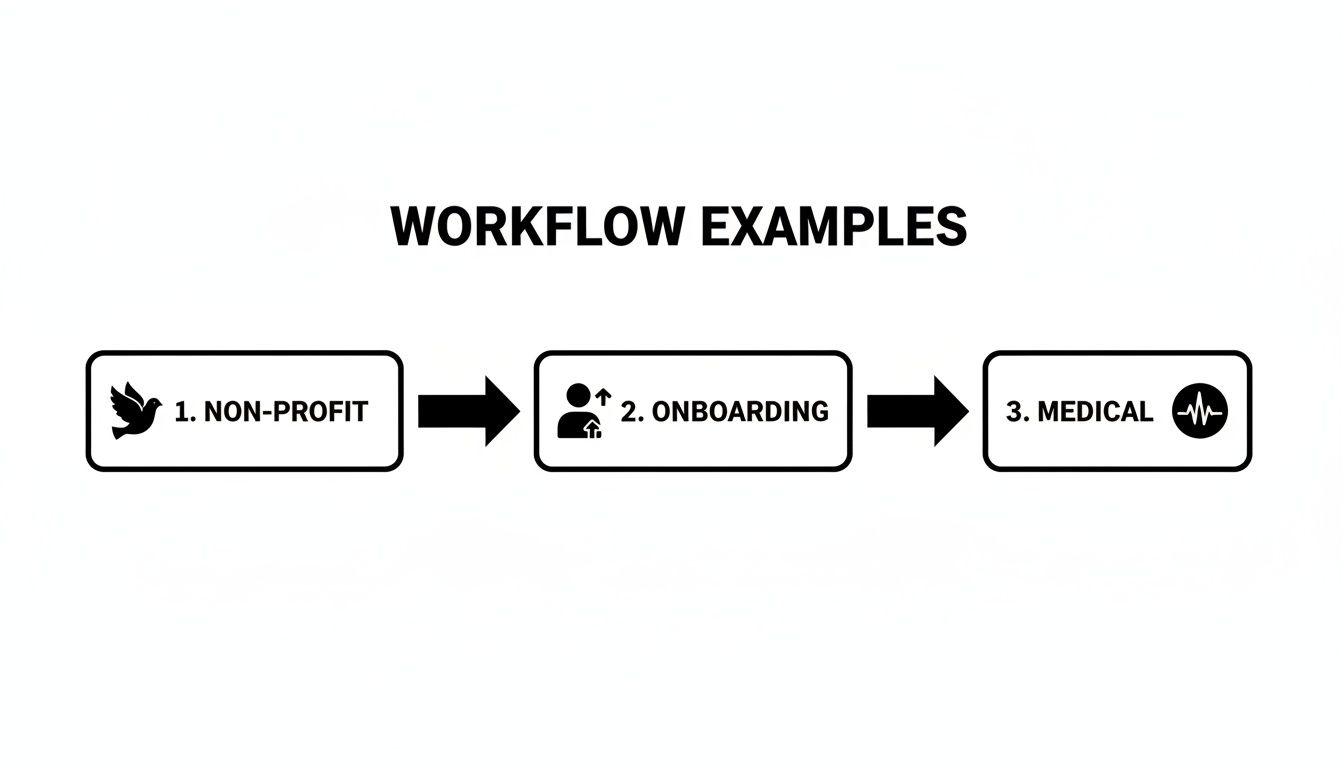
Each example breaks down a process into a sequence of steps, showing how automation can create consistency and efficiency from start to finish.
Gather Feedback and Iterate
Your first workflow launch is just the beginning. Once it’s live, the most important thing you can do is get feedback from the team using it every day. What’s working? What still feels clunky? This real-world input is gold.
The goal isn’t perfection on day one. It’s to build a system that grows with your business, getting better and better based on direct user experience.
Use these insights to tweak the workflow. Once it’s running like a well-oiled machine, you can move on to the next process on your list. This "start small and iterate" approach builds momentum and proves the software's value with each small win, making the small business workflow management software a welcome tool instead of an imposed burden.
Choosing the Right Workflow Management Platform
Picking the right small business workflow management software can feel like a monumental task. The market is noisy, pricing models are often intentionally confusing, and it’s tough to know what you’re really getting for your money. To make a smart choice, you have to look past the monthly price tag.
The real aim is to find a platform that gives you a clear and compelling Return on Investment (ROI). Instead of just comparing subscription costs, think about the ROI in terms of real-world business gains. How many team hours will you get back through automation? How many costly mistakes will you avoid? How much faster can you complete client projects?
Decoding Pricing and Calculating True ROI
Most workflow tools follow one of two pricing paths. The per-user model charges you a set fee for every single person on your team, which can get pricey as you hire more people. On the other hand, a tiered plan gives you different feature packages at different price points, which can be a smarter buy if only a few key people need the high-end features.
To figure out the real ROI, start with the value of saved time. If a new system saves your five-person team just one hour each per day, that's over 100 hours of productive time you've reclaimed every single month.
The best workflow software isn’t a cost; it’s a strategic investment. It should pay for itself multiple times over by eliminating wasted time, preventing expensive mistakes, and creating a more efficient operational engine.
This mindset shift is key. You're not just buying another piece of software; you're investing in a system that makes your entire business run better and more profitably.
Why Google Workspace Integrations Are a Game Changer
One of the most critical factors is how well a new platform plays with the tools your team lives in every day. For any business running on the Google Workspace ecosystem, seamless integration isn't just a nice-to-have—it's essential. This is the difference between a clunky add-on and a truly unified operational hub.
This is where a solution like OpsHub really shines. It wasn’t just designed to be "compatible" with Google Workspace; it was built to function as its central command center. The result is a frictionless environment where information flows automatically between the tools you already know and use.
Just think about what this deep connection means in practice:
- Google Drive: Kicking off a new project in OpsHub can instantly create a perfectly organized client folder in Drive, making sure every document has a home right from the start.
- Google Calendar: Project deadlines and major milestones sync straight to your team’s calendars, keeping everyone on the same page without anyone lifting a finger.
- Gmail: Automated task updates and notifications can be sent directly from your email, making communication feel both professional and effortless.
This kind of native integration transforms your separate apps into one powerful, cohesive system. It puts an end to the constant app-switching and manual data entry that drains productivity. When you choose a platform that harmonizes with your current setup, you’re not just adding another tool—you’re unlocking the true potential of the investments you've already made.
Common Questions About Workflow Software
Jumping into new technology always brings up a few questions. For any small business, every dollar and every hour spent has to count. Let's tackle some of the most common questions leaders ask when they're looking into workflow management software.
Is This Going to Be a Nightmare to Set Up?
This is probably the biggest—and most valid—concern we hear. The great news is that modern workflow platforms are built for the people actually doing the work, not a team of developers. The best tools are designed with no-code or low-code interfaces.
What that really means is you can build powerful, automated processes using intuitive drag-and-drop editors and visual flowcharts. No coding required. Plus, many systems come with ready-to-go templates for common tasks like onboarding a new client or getting a blog post approved. You can get your first workflow up and running in minutes, giving your team a quick win and a solid base to build from.
Wait, Don’t I Already Have This with My Project Management Tool?
It's an easy mistake to make, and while the two might look similar on the surface, they solve fundamentally different problems.
A project management tool is for a one-off initiative with a clear beginning and end, like building a new website. Workflow management software is for the recurring, day-to-day processes that keep your business running, like paying invoices or handling customer service requests.
Here's another way to think about it: project management helps you build the car. Workflow management designs and automates the entire assembly line. One is about managing a single, unique outcome; the other is about perfecting the system that produces outcomes over and over again.
Is This Really Worth It for a Tiny Team of 5-10 People?
Absolutely. In fact, small, lean teams often get the biggest bang for their buck, and they feel the impact almost immediately. When you only have a few people, every single hour you can save by automating a repetitive task makes a huge difference.
Think about it—each person on a small team is already wearing multiple hats. A workflow system acts like a superpower, taking all the administrative grunt work off their plate so they can focus on what actually grows the business. For a team of five, automating just a handful of core processes can easily free up the equivalent of a part-time hire's worth of time. It also sets you up to scale gracefully, so as you grow, your operations don't turn into chaos.
Ready to transform your operations and build a more efficient, automated business? OpsHub is the AI-powered command center designed for modern teams on Google Workspace. Unify your workflows and unlock effortless productivity today.
Share This Story, Choose Your Platform!
TUNE IN

OpsHub Signal publishes analysis, essays, and field notes on operations, capital, policy, and systems design. Subscribe to receive a weekly briefing that cuts through noise and delivers what actually matters to operators.